
In your day to day service delivery, you may need to view old statements to answer potential questions from clients or any other reason. There are two 2 ways to get to a client budget.
Firstly, search for a client using the Client Search/List screen. Select the client you want by selecting their name. The screen below appears. Select the Budget button at the top.
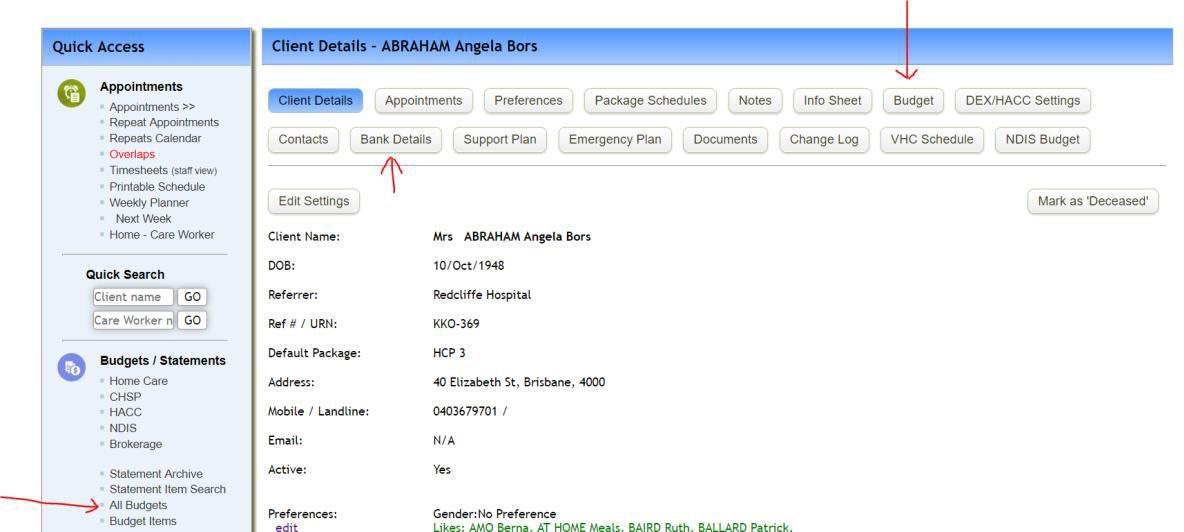
You will also notice the Bank Details button. This will display the screen for entering the bank details to set up an EFT Transfer facility to collect any client contributions from the client’s bank account.
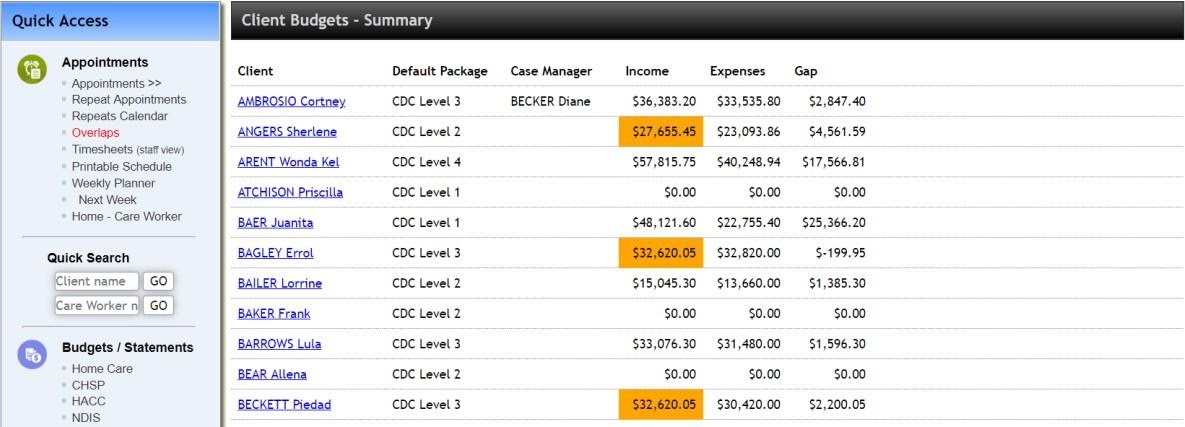
The second way to find a client budget is via the Quick Access menu on the left, under Budgets/Statements section there is an option “All Budgets”. Selecting this will take you to the client Budget Summary screen. Scroll through the list until you find the client you wish to access.
For any further questions, do not hesitate to get in touch: https://www.turnpointcare.com.au/contact-us
Comments
0 comments
Please sign in to leave a comment.