
Make sure employee details are up to date. In particular, check the the employee's tax file number, email, and postal address. Having an email address on record for an employee will allow you to send a notification email directly from the platform to your employees after you have lodged the finalisation event to notify them that their Income Statement is tax ready.
Check that the employee's address is complete and correct, as unless fixed, this will trigger a validation and prevent you from lodging the finalisation event. If your business contains a combination of closely-held employees, and non closely-held employees, i.e., arm's length employees. make note of those employees whom you classify as closely held as you will need to complete a separate finalisation event for those being reported quarterly. Also, keep note if you have any foreign employees, as you will need to report the Foreign Tax Paid via the finalisation event.
A quick way to audit this information is to generate an Employee Details Report and select the following display columns to retrieve the information:
- Postal address.
- Email.
- Tax file number.
- Single-touch payroll.
Make sure you also include employees terminated in this financial year when generating the report, as you may also include them in the finalisation event.
The Employee Details Report feature allows you to build your own reports from scratch. You can also use this feature to download the information as an Excel, CSV or PDF file in you want to access the data outside the platform.
- Log into your TurnPoint Pay platform.
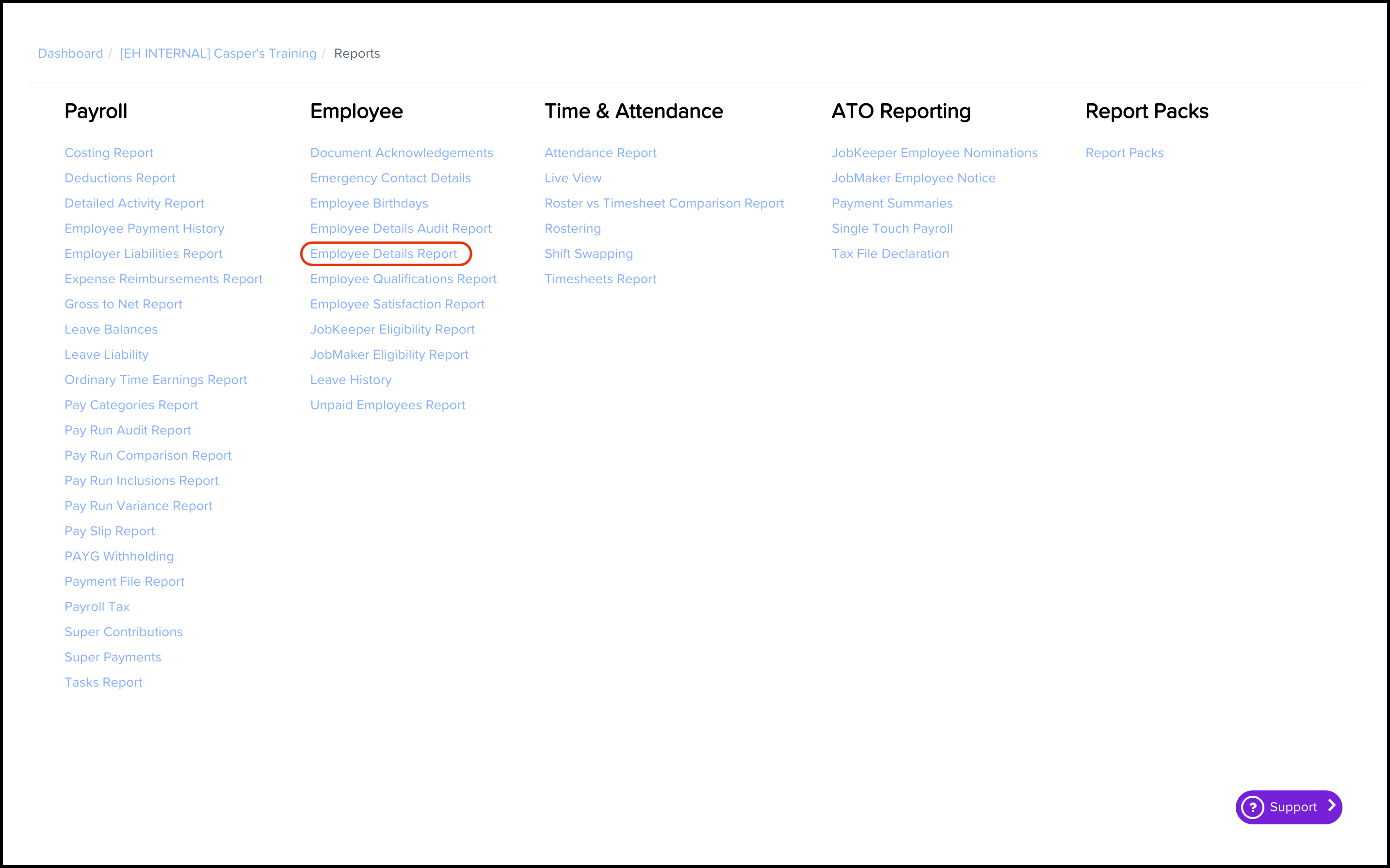
- Click the Reports menu.
- Click the Employee Details Report button.
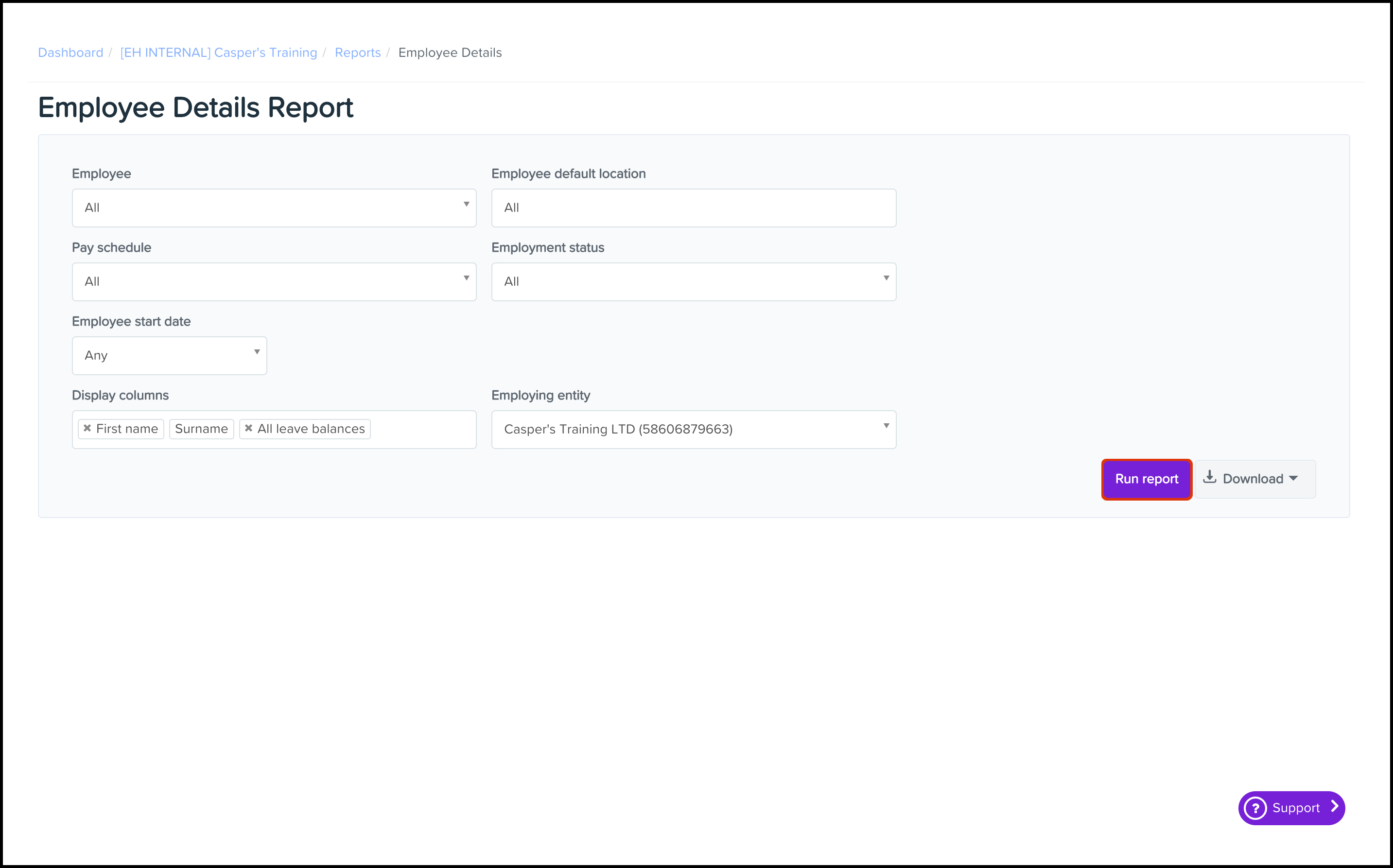
- Select from the following fields:
- Employee.
- Employee default location.
- Pay schedule.
- Employment status.
- Employee start date.
- Dispaly columns.
- Employing entity.
- Click the Run Report button.
You will now see your Employee Details report on your screen.
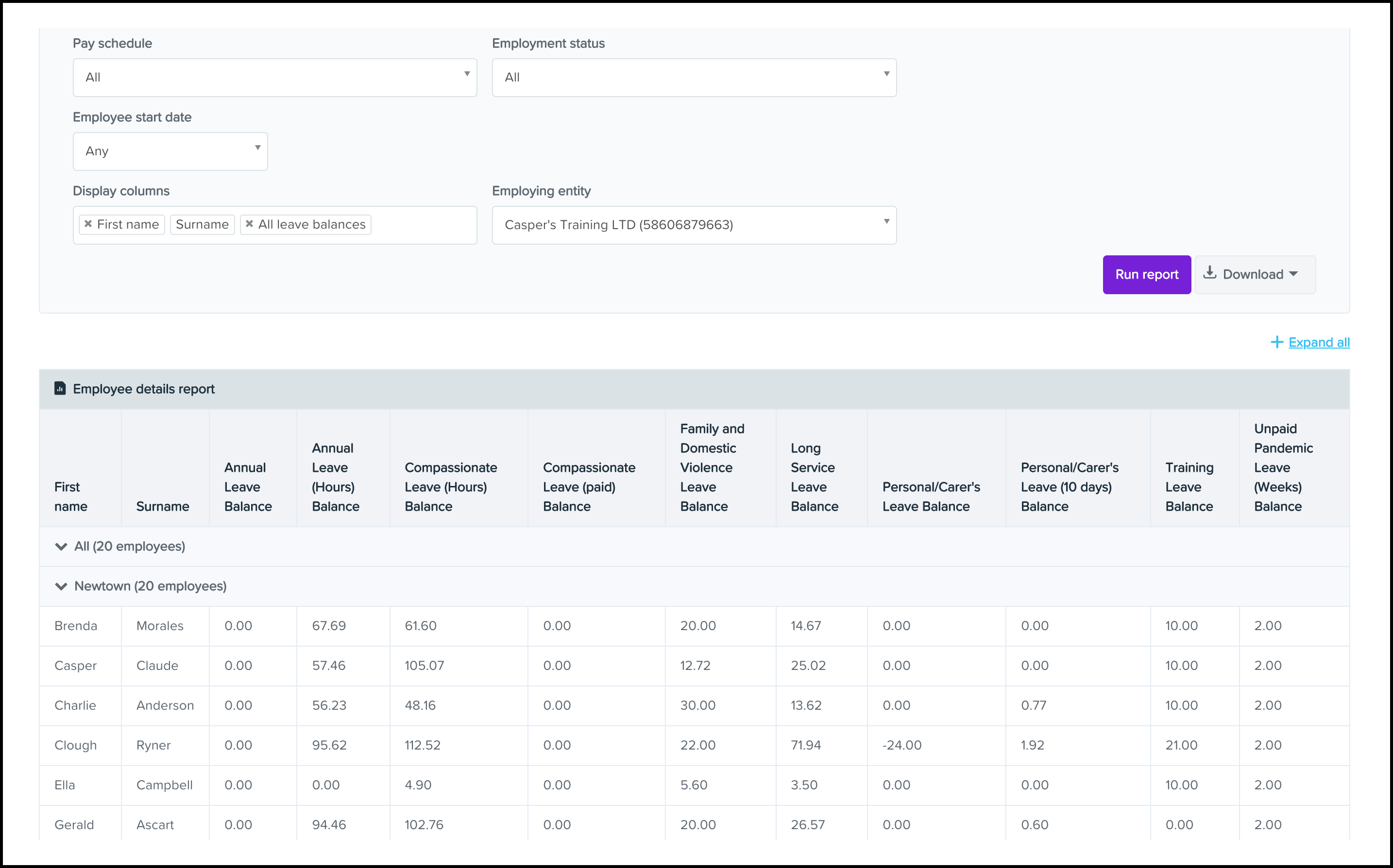
You can also download this report into Excel, CSV or PDF using the Download button next to the Run Report button
Comments
0 comments
Please sign in to leave a comment.