
You can terminate an employee within a pay run or directly on the employee's file. We recommend terminating the employee within a pay run so details are automatically sent in the STP file to the ATO.
Terminating an employee within the pay run
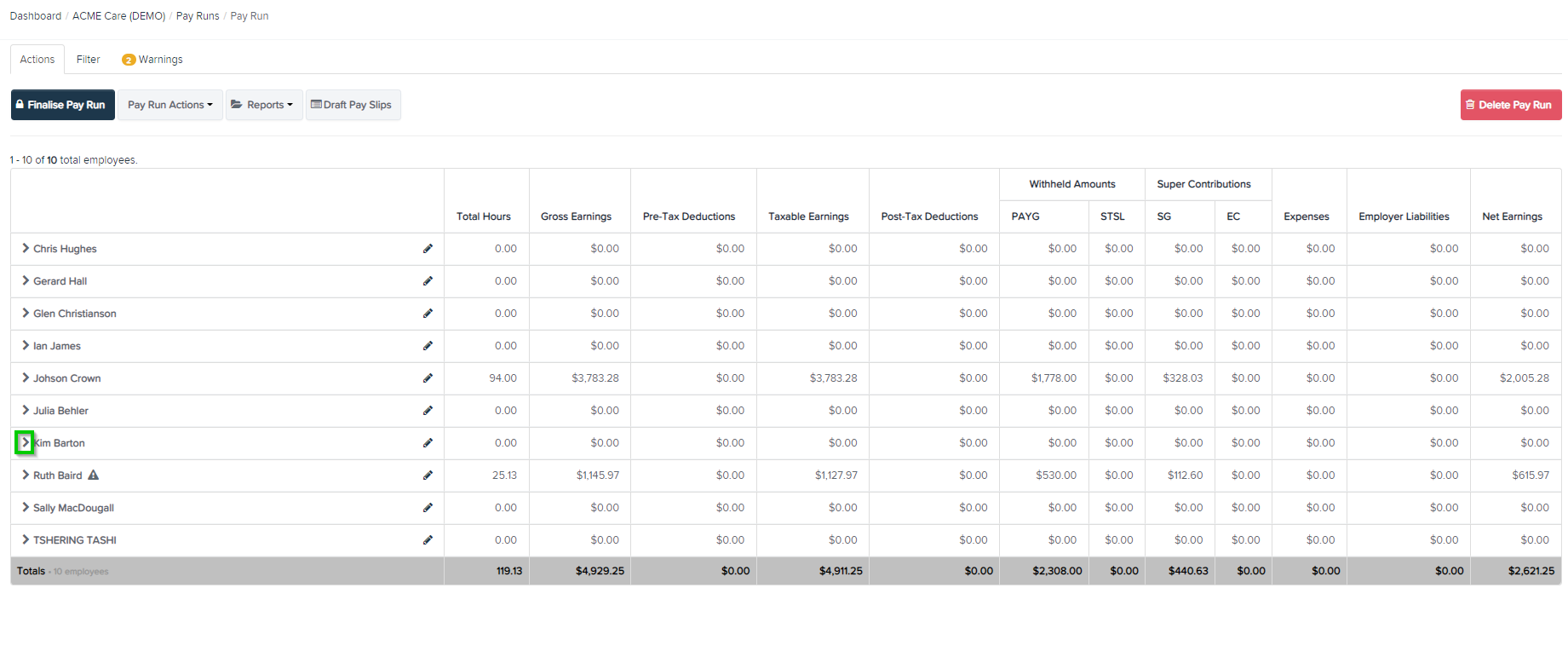
Within the pay run, select the arrow next to employee's name
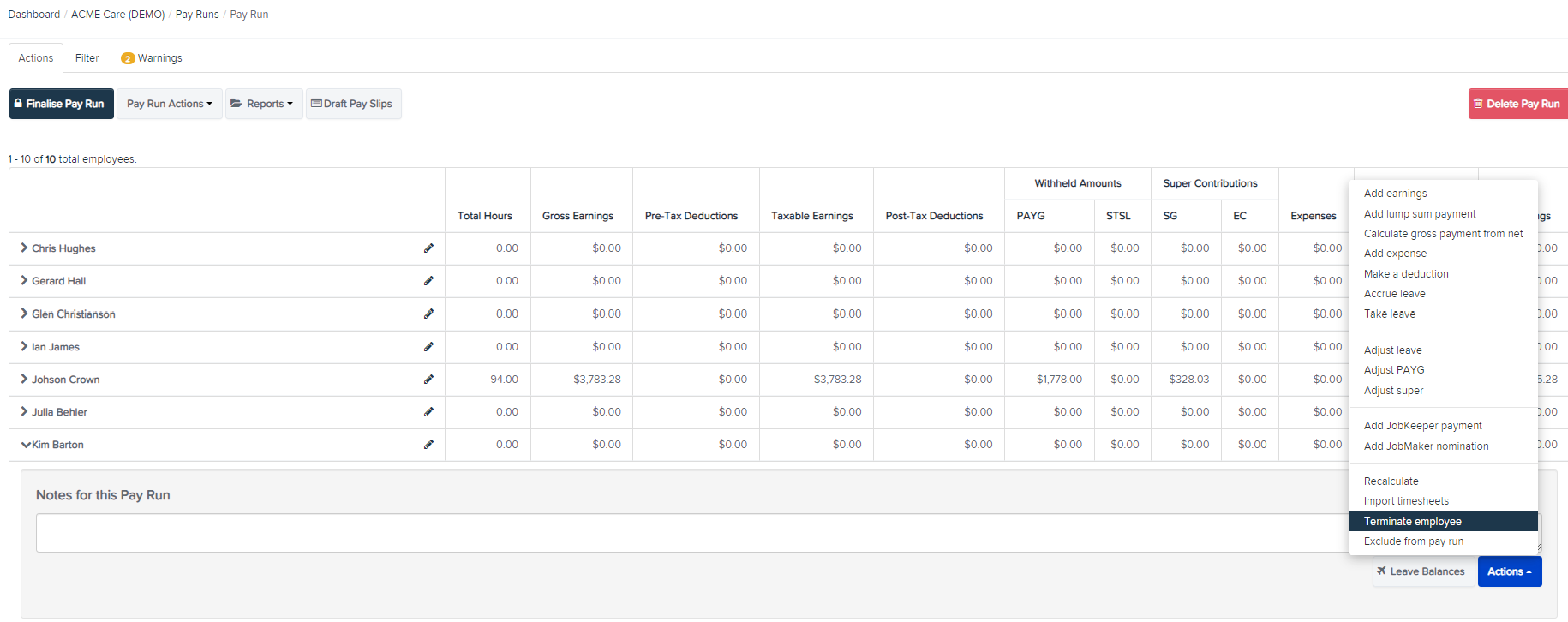
Select Actions then select Terminate Employee
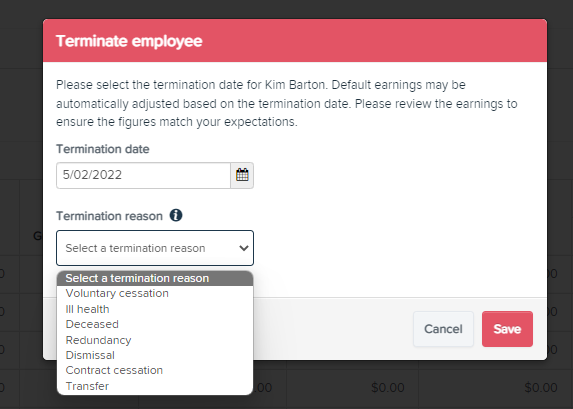
Enter the termination date & reason then select Save
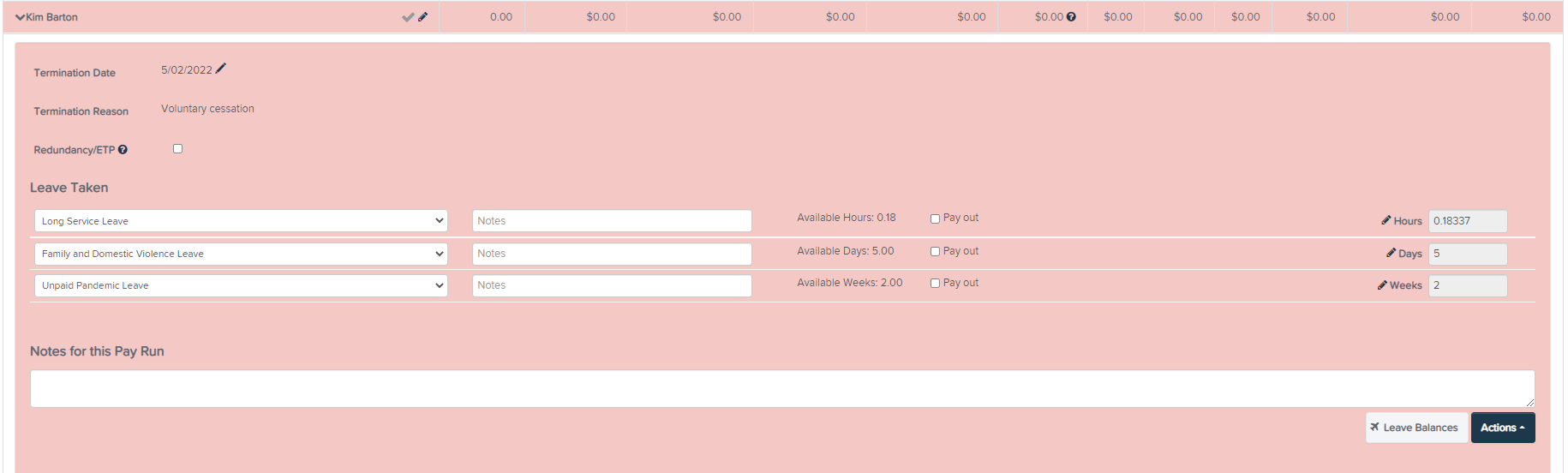
The employee's name will then highlight pink and show accrued leave and any termination payments applicable.
Comments
0 comments
Please sign in to leave a comment.