
When a care worker or admin staff is no longer working for you, you will need to take few actions and delete them from the system to disable access as soon as you can.
Here are recommended steps for you to follow.
1. Reassign preferred/assigned care worker of the affected appointments
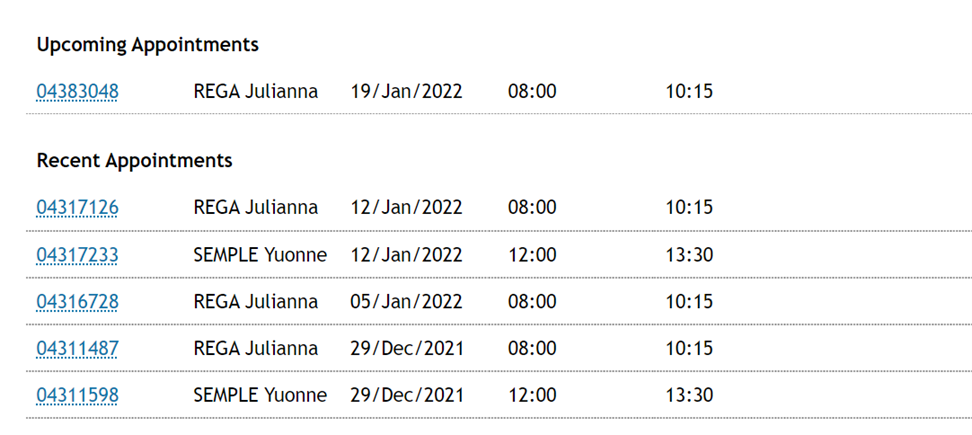
A. Go to the care worker's page and find the upcoming/recent appointments that are/to be assigned to this leaving care worker. (Located below care worker's calendar view)
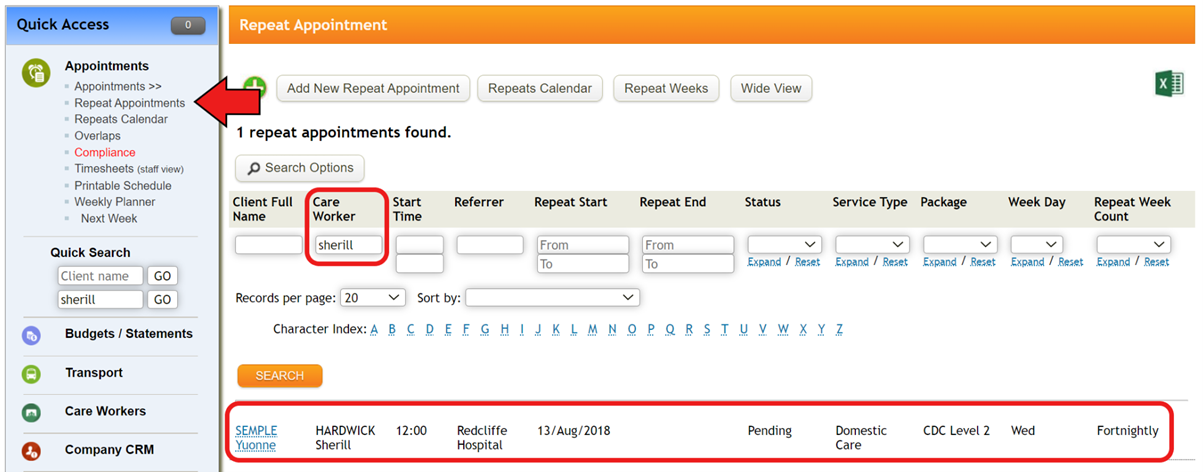
B. Or you can go to 'Repeat appointment' and search any repeat appointments attached to this leaving care worker.
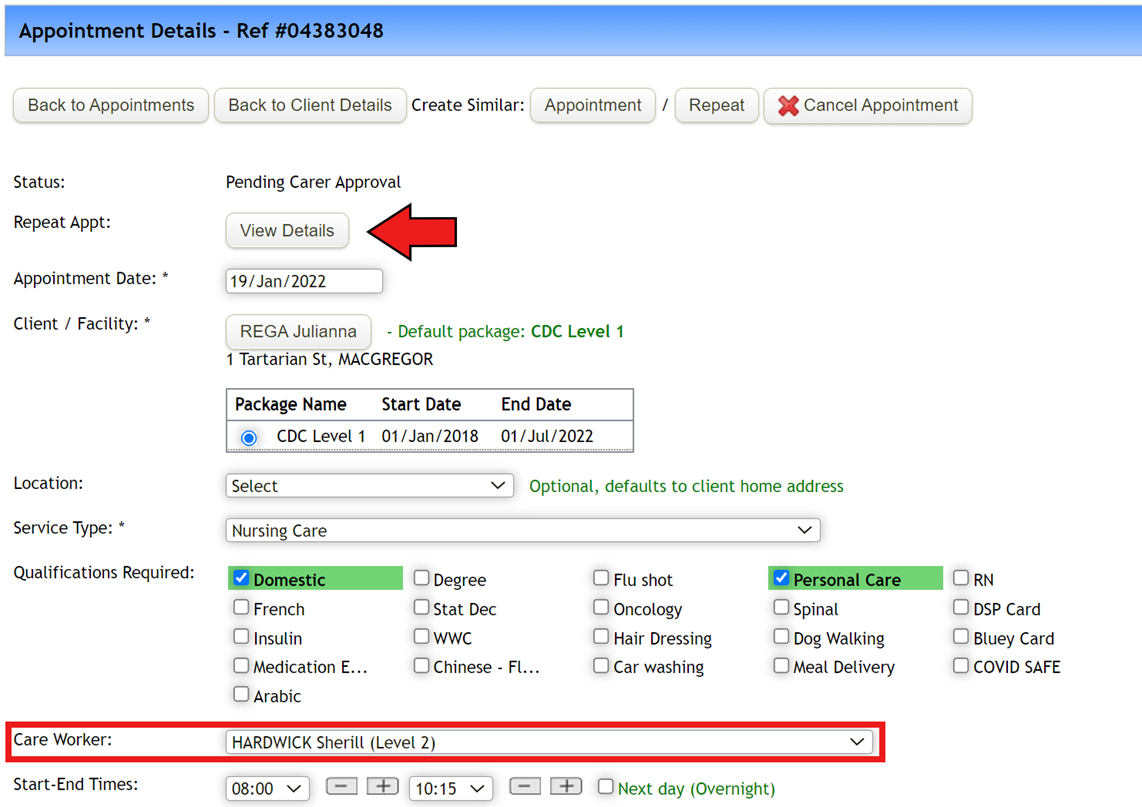
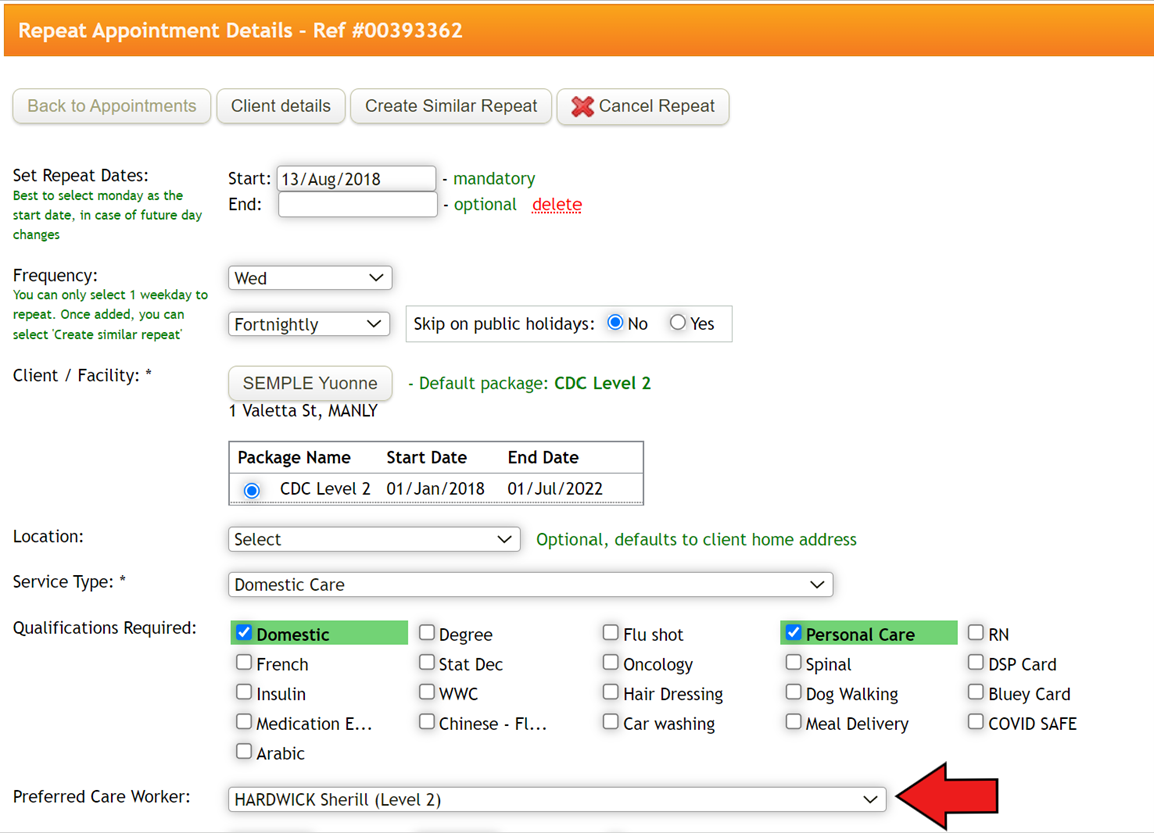
C. For one-off appointment, simply change care worker. For repeat appointment, click 'View Details' to go to repeat appointment and change 'preferred care worker'.
By doing this, any future appointments under this repeat appointment will have newly selected preferred care worker attached to it.
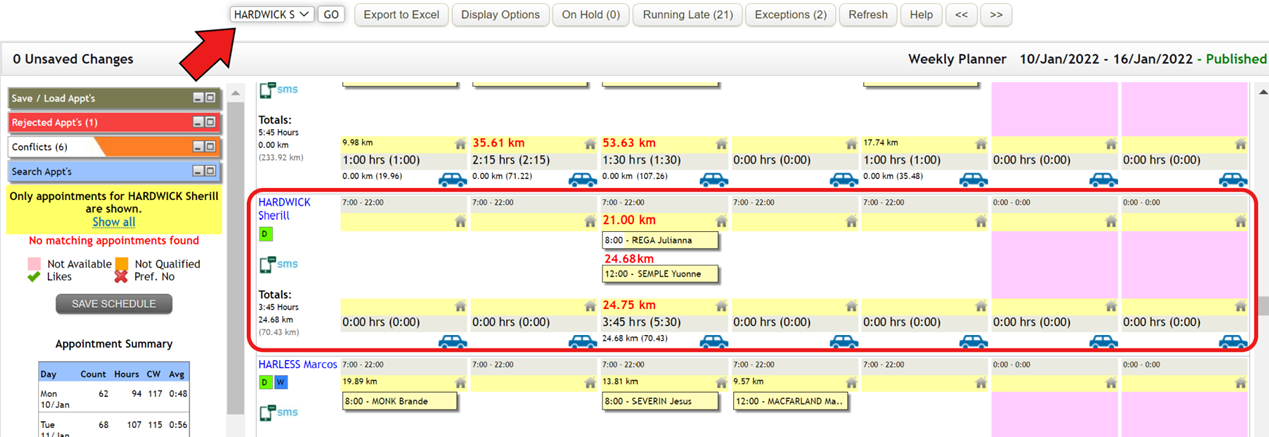
2. To make sure you don't miss out any appointments attached this care worker, go to Weekly Planner, and check if there is any appointment still assigned to this leaving care worker on the current week and following week, and reassign them to another care worker.
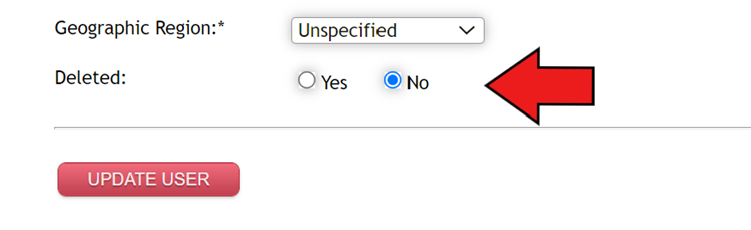
3. Go back to care worker's page and scroll down to the bottom to find 'Deleted' field. Tick 'Yes' and click 'Update user'.
Once deleted, they will still be searchable in TurnPoint through View Deleted Care Workers, and you can bring them back by changing Yes next to Deleted field.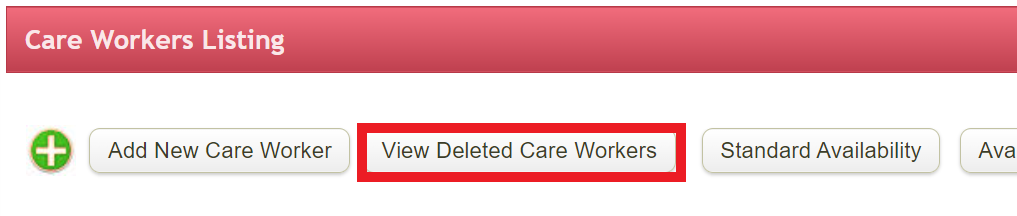
Please note,
1) even once the care work is deleted their appointments will still appear in the payroll export. This means that you don't have to wait until after you've processed the final pay and entitlements of a leaving care worker before you 'delete' them from TurnPoint.
2) If this is admin staff that is leaving, please go to System configuration and check if you will need to update any contact details. To make any changes, please email support@turnpointcare.com.au
Comments
0 comments
Please sign in to leave a comment.