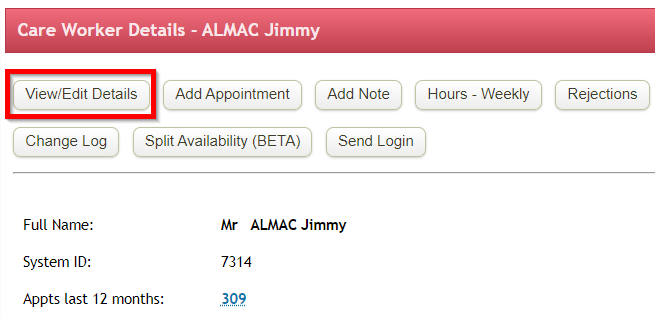
You can change users records(both care worker and admin staff) such as email address, team, mobile by clicking View/Edit Details.
|
Data collected and able to be updated per user/carer is as follows.
- Adjust general details such as address, d.o.b, contact numbers.
- Set pay level (1-5, exclude from payroll). Pay Group is used to drive different payroll outcomes, supports different award conditions.
- Qualifications and expiry dates of each one. Used to match carers to appointment needs. As the expiry date of qualifications approach, this is flagged on the company Daily Snapshot (home screen) for follow up. The number of staff with qualifications approaching expiry is shown. Selecting the number shows the Qualifications snapshot where staff and their skills are shown.
- Message notifications SMS / email. Select method of notification. Notifications of published schedules go out 4:00pm daily.
- Accounting system reference. Used to match carers to payroll records in external accounting systems such as MYOB, Xero as part of Payroll Export processing.
- Login / password. Email address is the user id used to login to Turnpoint Care.
- To indicate a user as a Carer, select the Care Worker flag at the bottom of the form.
Select Carer Summary button to return to Carer Details Screen.
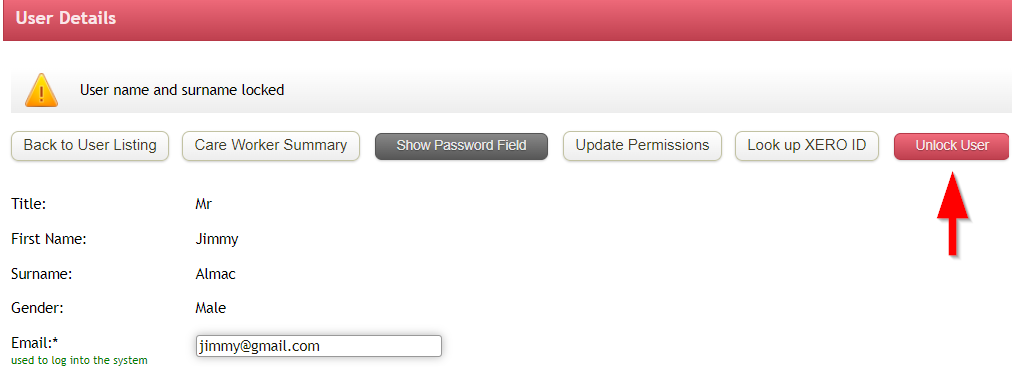
Please note that users'(both care worker and admin staff) full names will be locked 30days after they are added to the system and since first appointment.
First/surname fields can only be overridden by user with UNLOCK permissions
For any further questions, do not hesitate to get in touch: https://www.turnpointcare.com.au/contact-us
|
|

Comments
0 comments
Please sign in to leave a comment.