
Estimated Time to Complete: 0.5hrs - 1.5hrs
Quick Overview:
Think of Task Types as checklists/reminders for staff to complete at appointments. You can create task types within TurnPoint. Once generated, scheduling staff can select relevant tasks to the appointments, which then will show up as a checklist/reminder on appointments for care workers.
Tasks are optional
Video:
Steps:
- Create a list of Tasks that your business might use for appointments
If you are unsure what some tasks might be, please have a look at the attached Excel Spreadsheet for examples that other businesses we work with use. Feel free to modify this list as you need.- Name: give the name of the task (i.e. reading, window cleaning, laundry, etc)
- Base Cost and duration are for estimates only
- Classification: Select relevant classification from the list
Click on "Task Types" under Other/config menu
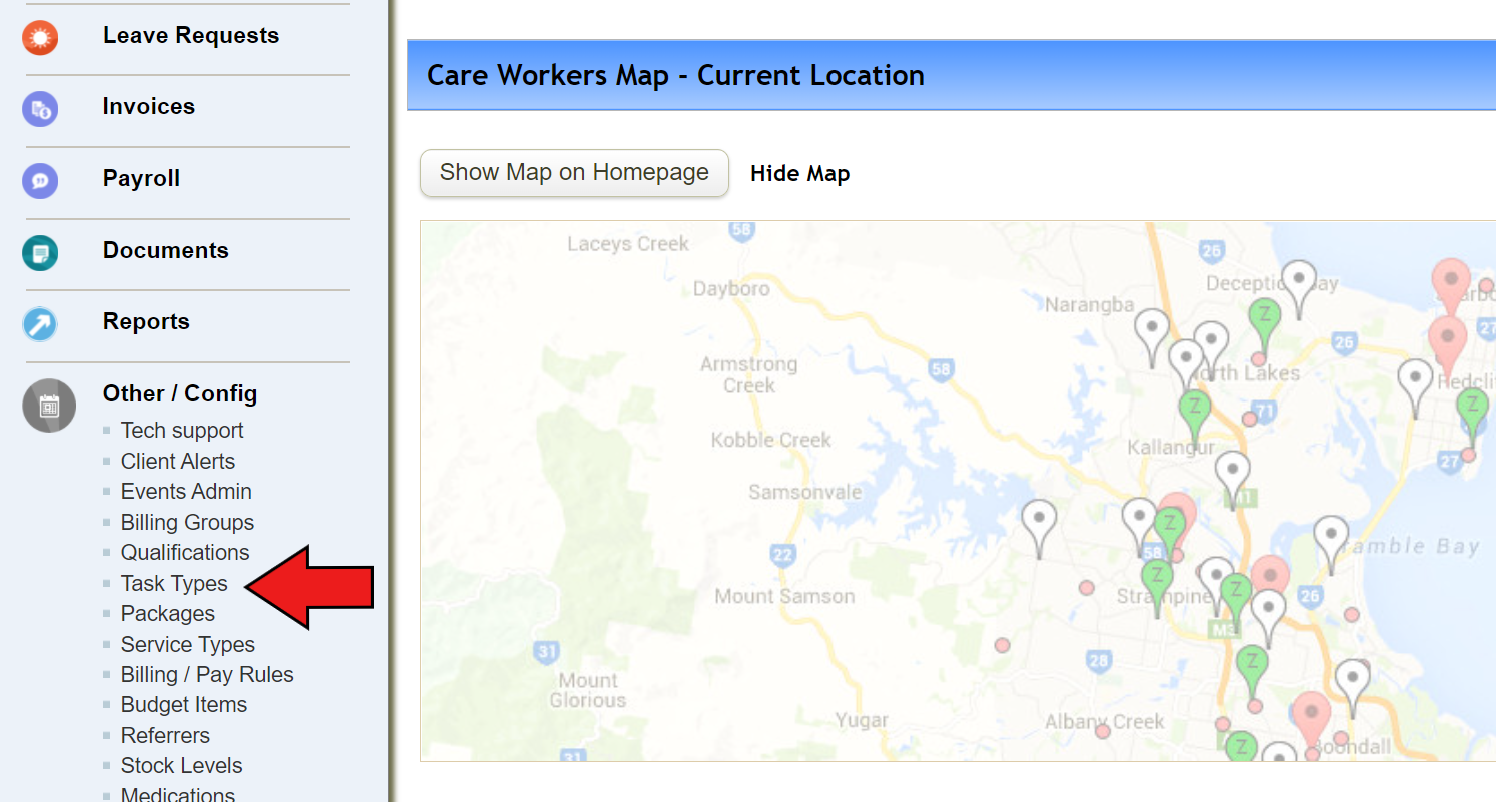
2. Click on “Add new tasks type” and fill out the blanks

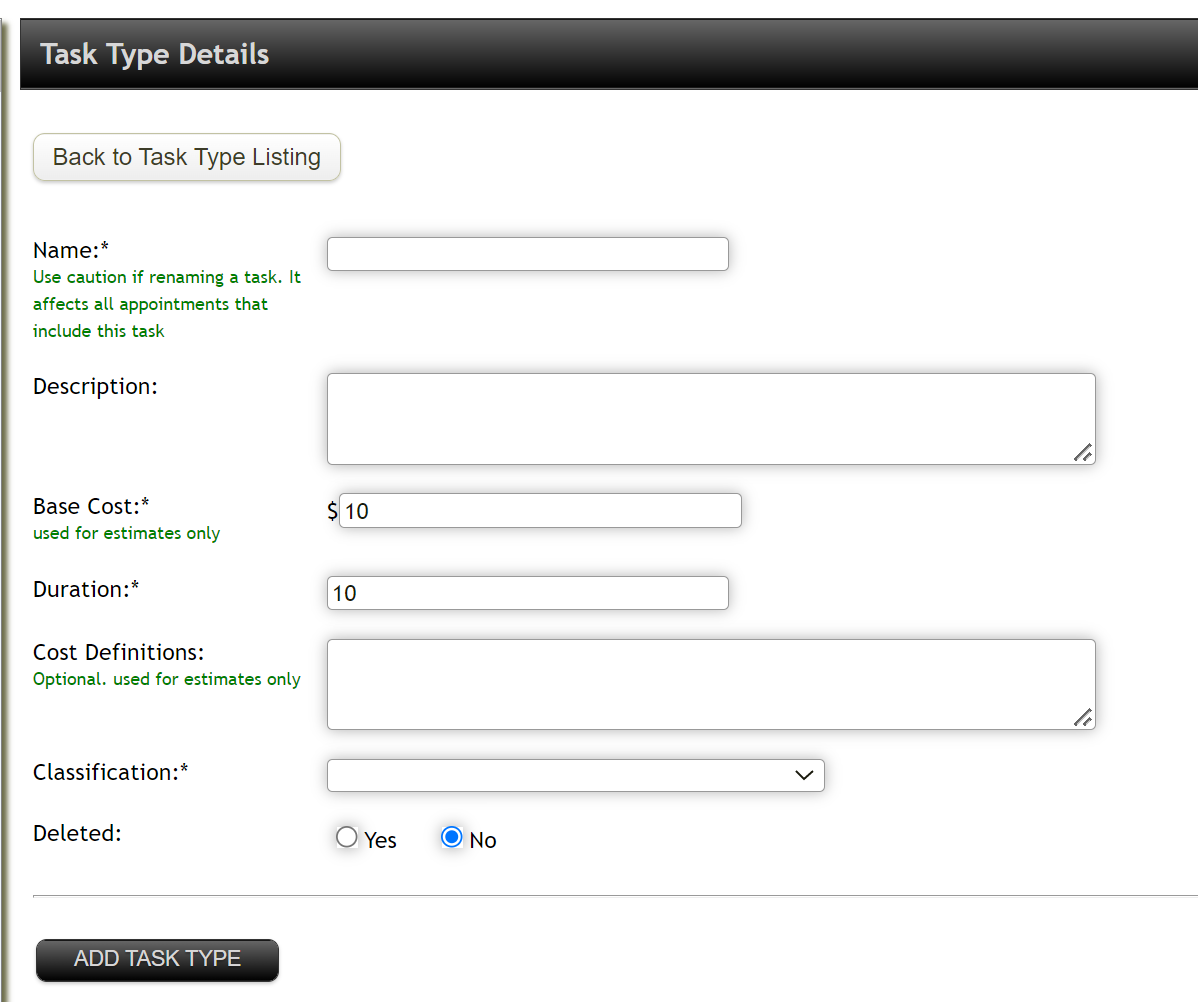
- Name (Used to Identify the task from a set list)
- Description
- Base Cost (used for estimating only)
- Duration (in Mins)
- Cost Definitions (Optional and used for estimates only)
- Classifications (Select from the drop down menu)
- Once completed, click "Add task type"
- Repeat steps 2-4 for each Task Type in your list from step 1
Checklist
You have successfully completed this step if you have:
- Created a list of tasks
- Created Tasks within the TurnPoint system
Bulk Upload
For a business that requires more than 25 Tasks, you can download the Bulk Upload spreadsheet attached to this document and fill it out. Once ready to upload create a ticket at the top of this page and attach to the ticket.
Next Article: 3 - Referrers/Brokerage
Comments
0 comments
Please sign in to leave a comment.