
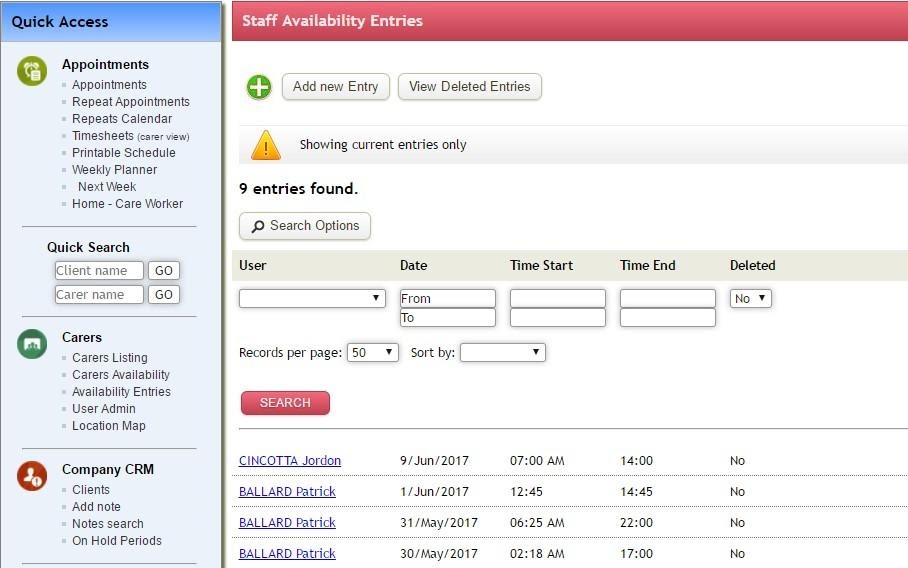
Select Availability Entries from the left hand menu or the Availability Entries button from the Carers Listing screen.Availability is a key input to the automated roster function visible through the Weekly Planner.
Selecting a Carers name against a specific entry will bring up that entry’s details screen. New Availability Entries can be added via the Add New Entry button. Viewing of deleted Availability Entries is available by selecting the View Deleted Entries button.
For any further questions, do not hesitate to get in touch: https://www.turnpointcare.com.au/contact-us |
|
Comments
0 comments
Please sign in to leave a comment.