
TurnPoint has streamlined the production of statements for Home Care and Disability Care to take the hassle and paperwork out of the process.
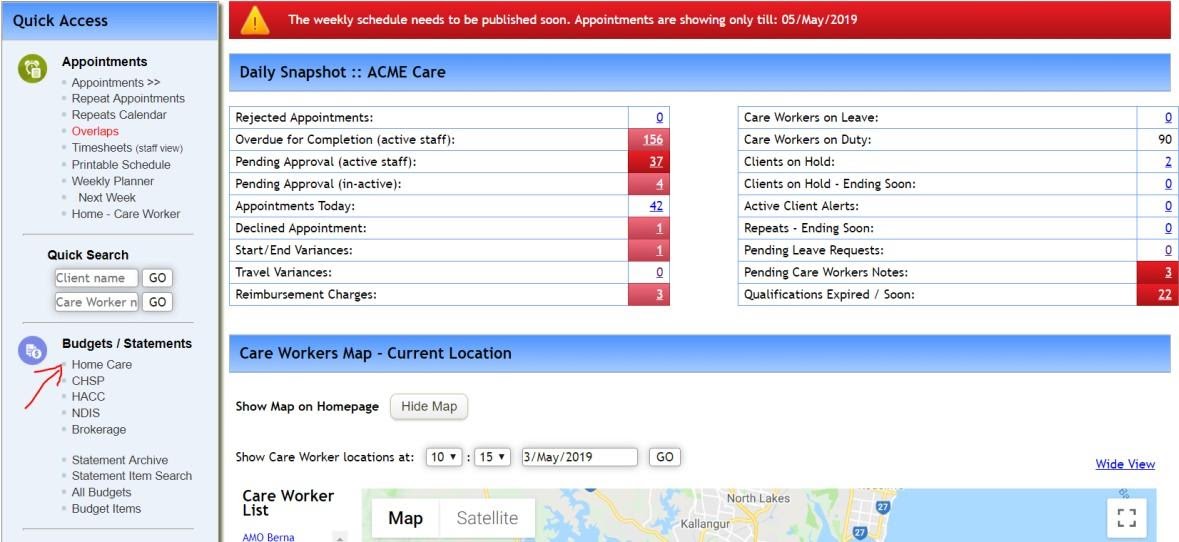
To access client Home Care statements, select Home Care from the Quick Access menu available on the left of screen.
The Client Statements screen opens. The current period shows. It is possible select another period, either in the past or future via the Date dropdown or using the left and right arrows.
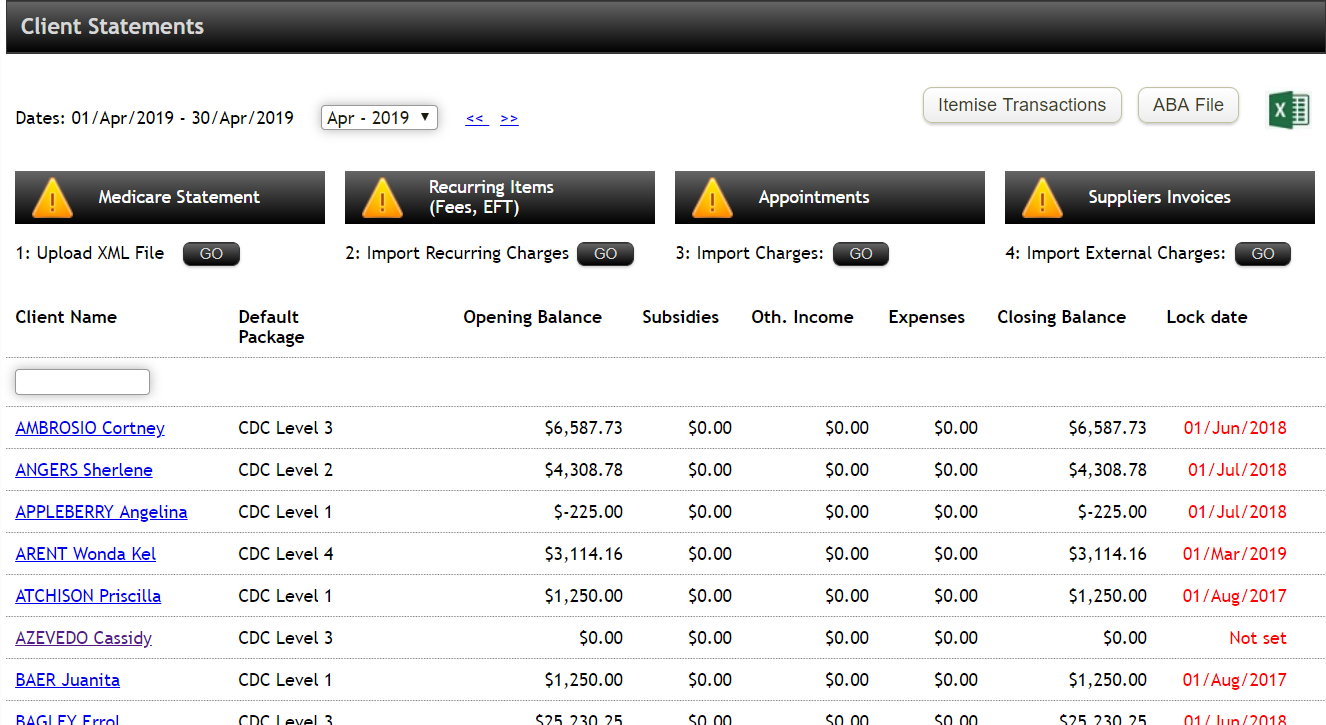
When viewing and producing statements, it is possible to aggregate transactions or itemise them. As an example, when itemised the individual subsidy amounts show but when “grouped” there is only one line item on the statements for Government subsidies.
It is possible to export the details showing on this page to Excel. A button in the top right corner will open up Excel with the summary details as listed for each client showing. Selecting the ABA button will take you directly to the ABA file generation section of this page.
Opening and Closing Balances are maintained from month to month. For a client with a package allocated to them in the current month, their statement is started with an opening balance of zero. For a client already receiving Home Care subsidies and services from another provider and is transitioning to you, then their statement will again start with a zero balance but add two adjustments in the Income section that shows the Subsidy transfer in split by government supplied subsidies and client contributions to date.
For any further questions, do not hesitate to get in touch: https://www.turnpointcare.com.au/contact-us
Comments
0 comments
Please sign in to leave a comment.