
Split availability gives the ability to multiple blocks of care workers' availability within the same day. Previously we only had the ability to track one block of availability based on the earliest start and latest end times.
For example, you can now capture the following scenario: Worker is available every Monday from 6am - 11am, then 1pm till 9pm.
To enable split availability please contact support.
To update Split Availability for Care Workers follow the below steps:
Select Care Workers either in top menu or side bar
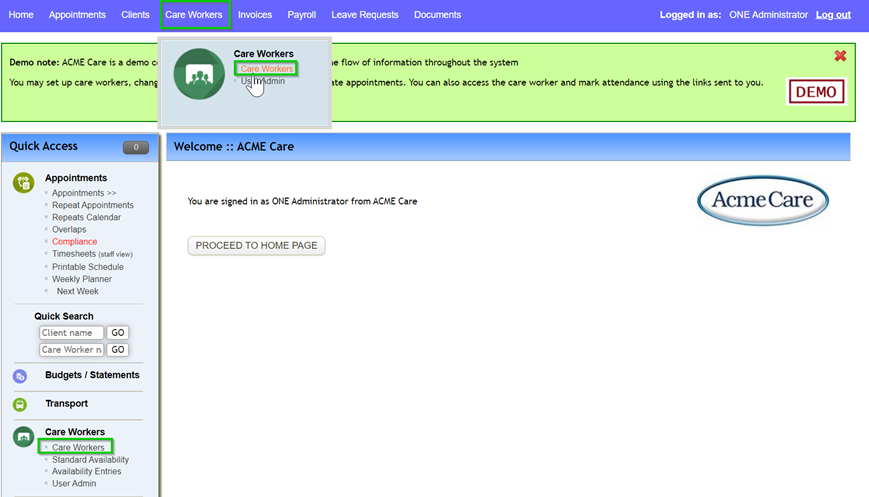
Open Care Worker’s profile
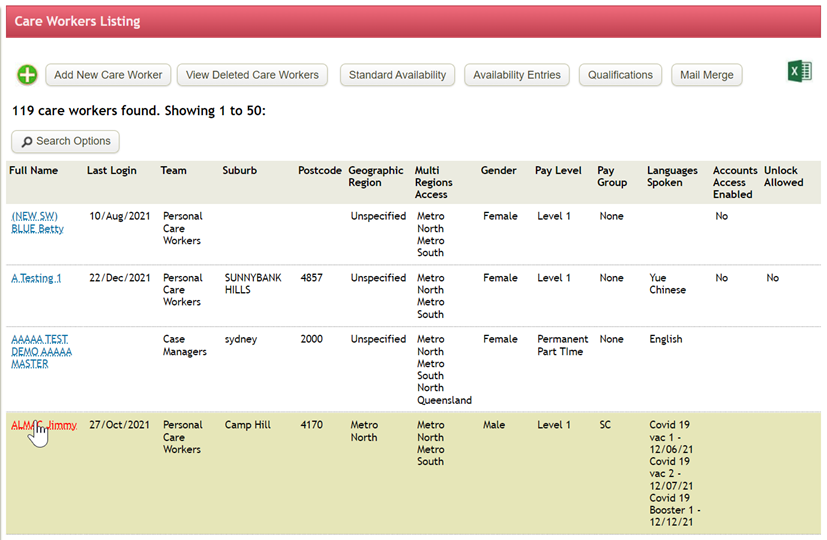
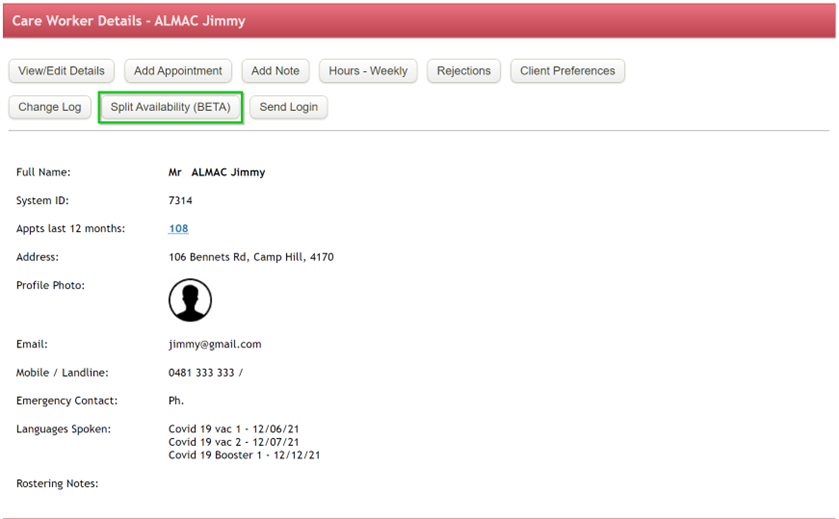
Select Split Availability – this will only show once enabled
You will see the employee’s standard availability at the top – this will flag specific days a Care Worker is unavailable to work i.e. Sunday’s. It can only be updated within Care Worker’s profile page
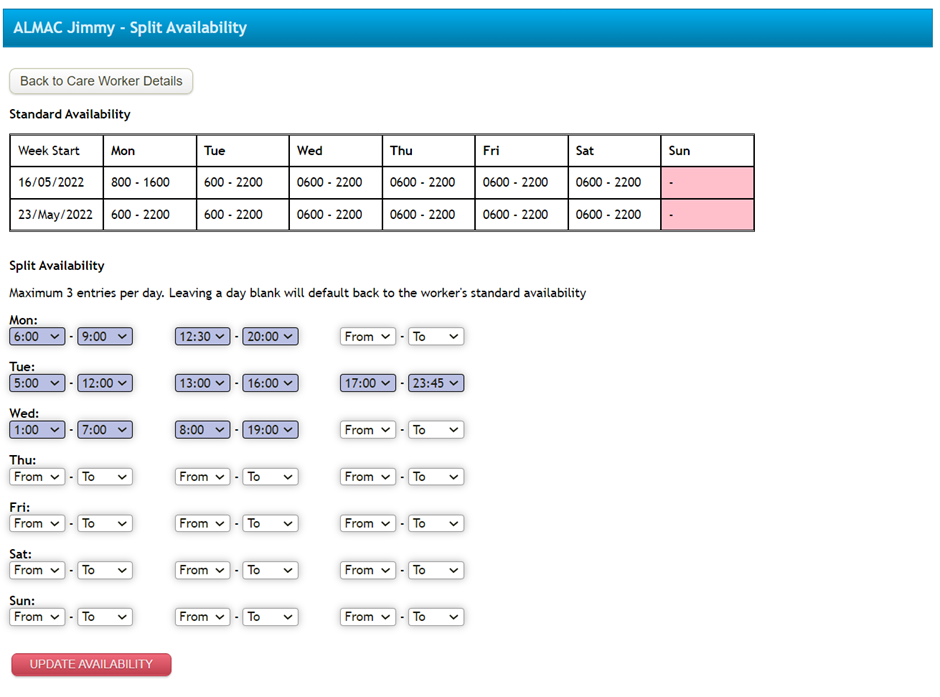
Update the Care Worker’s split availability with the available timeframes.
Any split availability entries will show in blue.
Viewing within the Weekly Planner
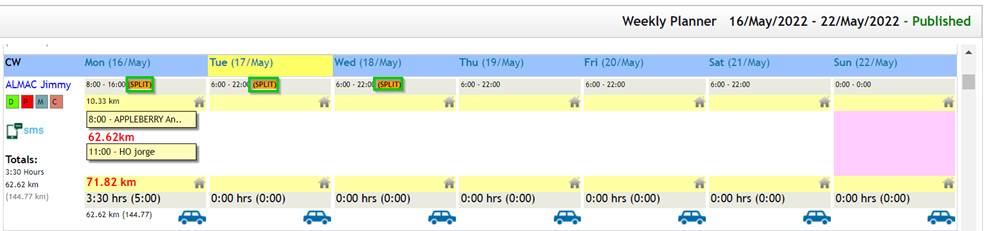
Once a Care Worker’s split availability has been updated you will be able to see within the Weekly Planner the work has splits on those specific days
When selecting the daily view the time bars will show with the available hours

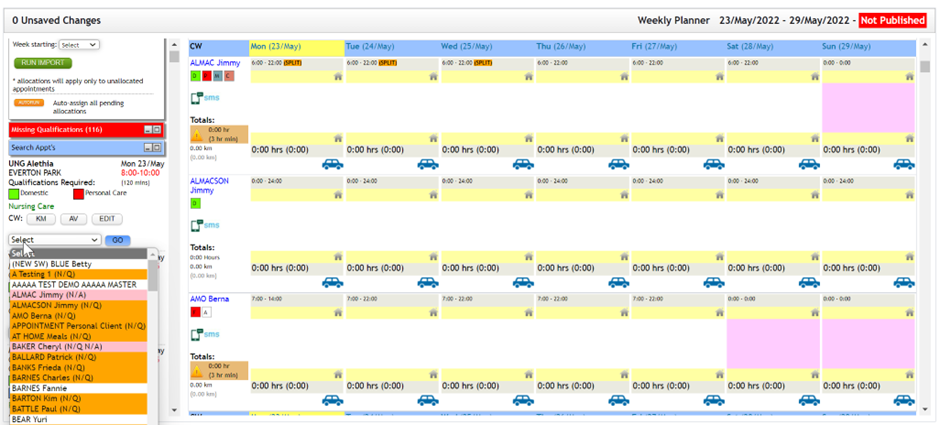
When allocating a Care Worker to an appointment, if the appointment falls during times the Care Worker is marked as unavailable, care worker will highlight pink with (N/A) indicating care worker is unavailable
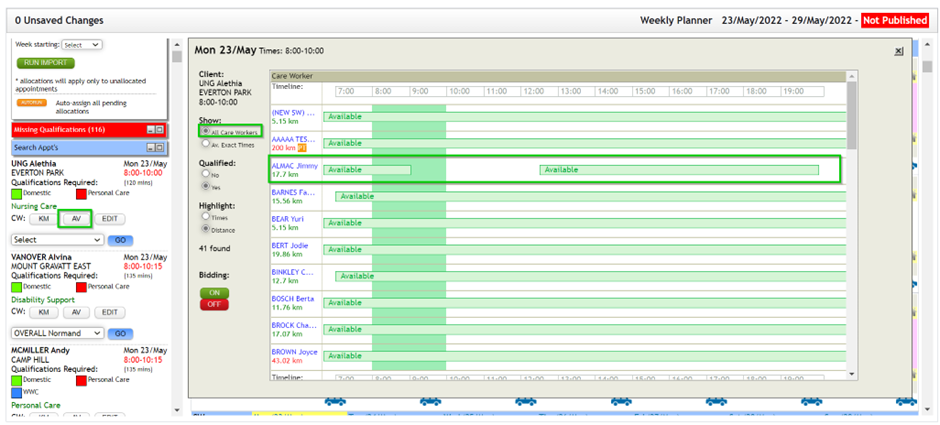
When selecting the AV button, you will need to select All Care Workers in order to view care workers with split availability conflicts – the shaded green box shows the appointment times in comparison to splits
If you want to check instruction of Split availability for care worker, please click here.
Comments
0 comments
Please sign in to leave a comment.