
Payroll Entry ListingIt is possible to generate activity records for payroll from within Turnpoint Care. An export facility is available to create a file of payroll records, per appointment within a filtered period, to provide to a payroll system for the purpose of paying staff correctly.
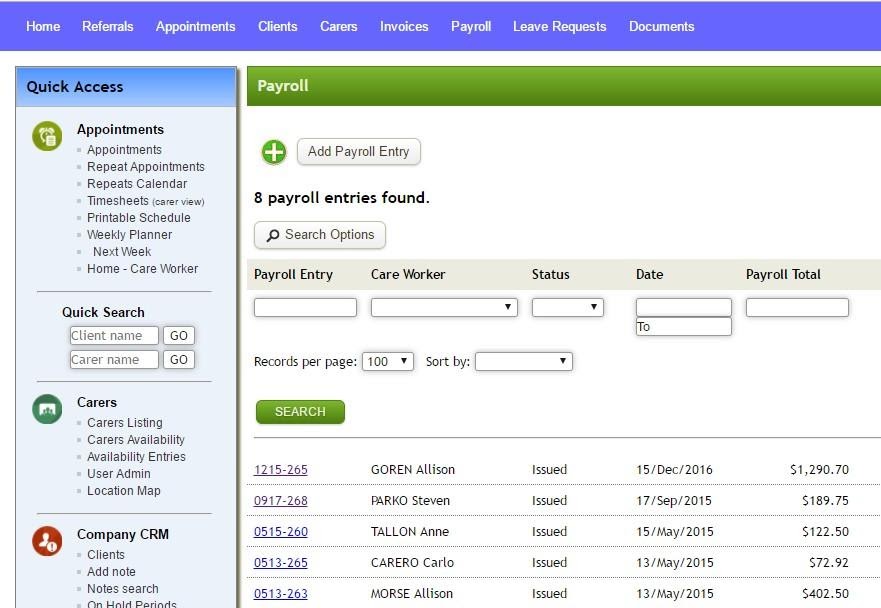
The main menu on the left holds a section for Payroll related functions. Selecting Payroll Entries from the menu leads you a listing of all payroll entries for all care staff with filtering by various fields available,
A manual payroll entry can be created by selecting Add Payroll Entry button at the top of the screen.
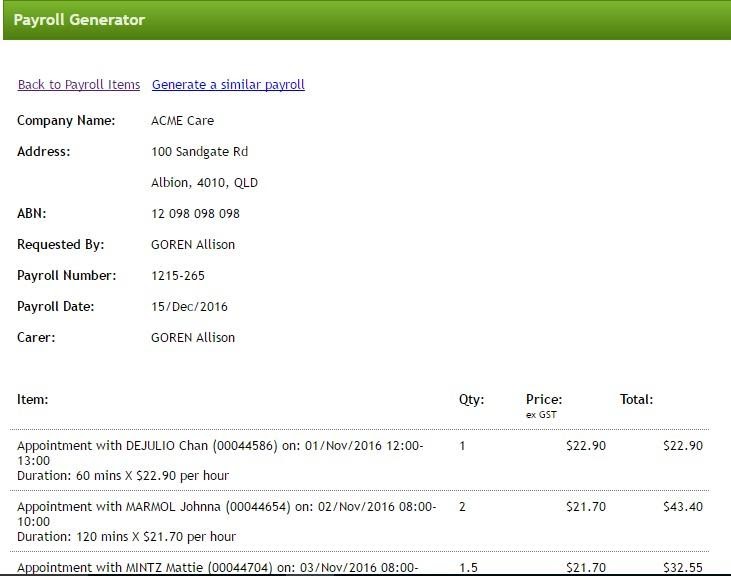
To view or export an individual Payroll Item, select the Payroll Entry Number field in the listing to see the Payroll Item Details screen (to the right). Exports are available in .txt format for MYOB and .csv format for Xero. A .pdf file can also be generated.
For any further questions, do not hesitate to get in touch: https://www.turnpointcare.com.au/contact-us |
|
Comments
0 comments
Please sign in to leave a comment.