
Accept/Reject Appointments
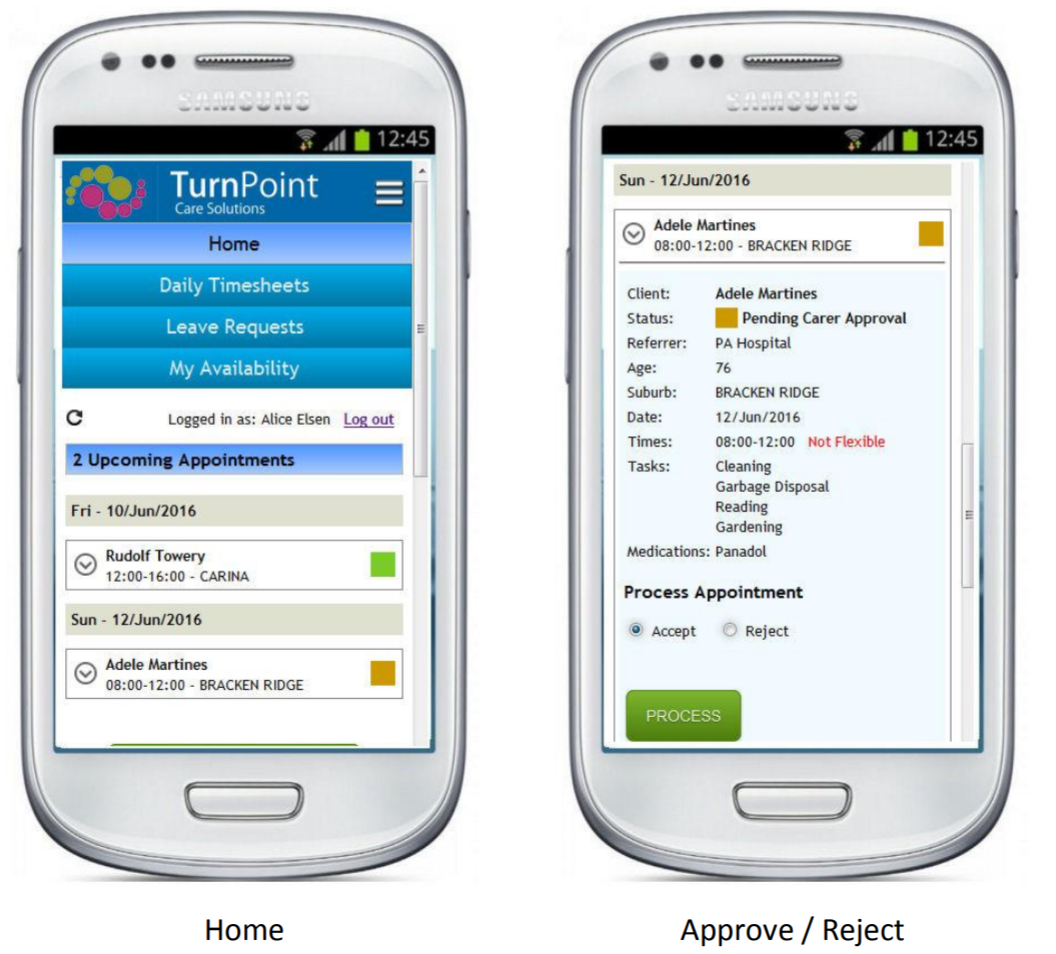
Go to “Home” to view your upcoming appointments, and click on each appointment to open up the details screen.
To accept, click “Process”.
To reject click “Reject”, supply a reason and then “Process”.
Timesheets
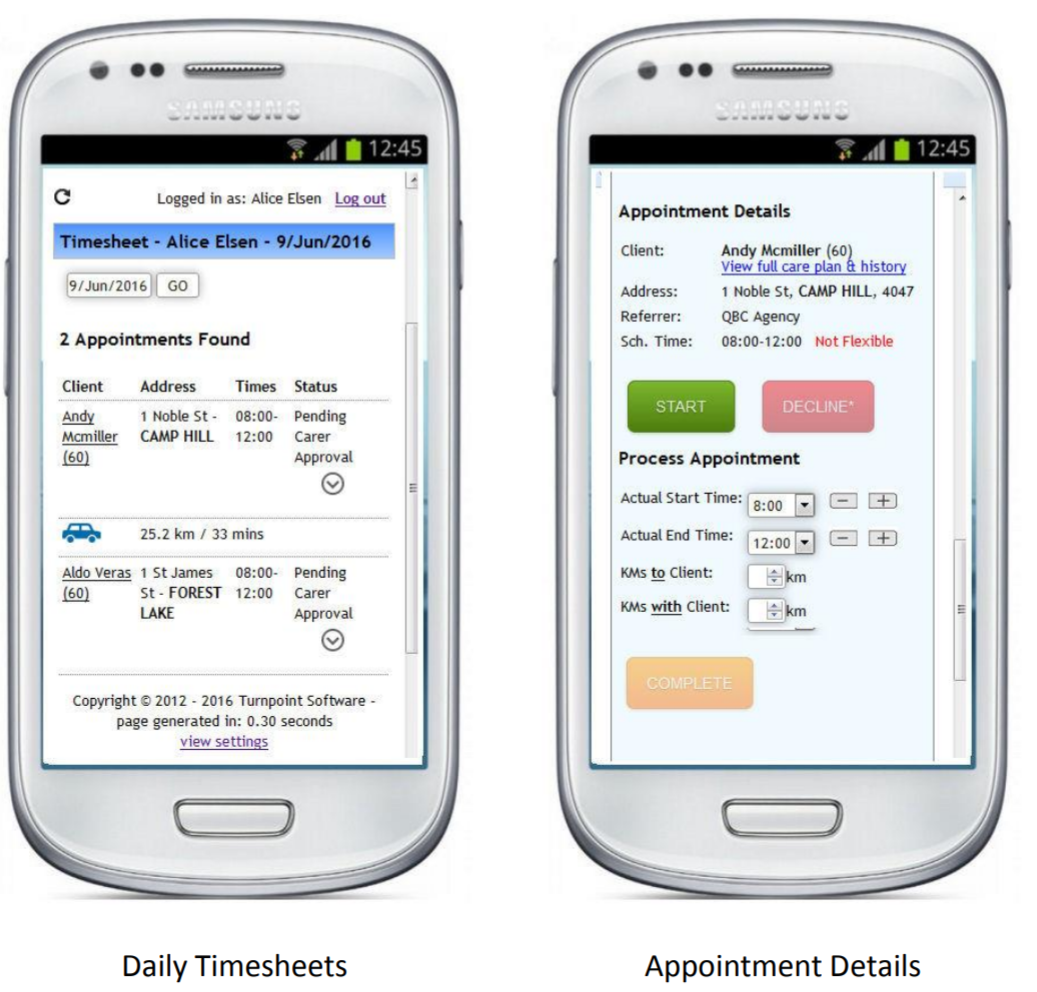
When you get to the client, go to “Daily Timesheets” and click on the client’s name, then “Start”.
* if the client refuses service or isn’t home – click “decline” and follow the prompts.
When you finish an appointment, tick all tasks, add distances travelled to & with the client if applicable, add any comments if needed and click “Complete”.
Comments
0 comments
Please sign in to leave a comment.