
This article is to provide some guidance for common issues you might encounter when using our TurnPoint mobile interface.
We can accommodate most other operating systems but TurnPoint has been optimised for the following operating systems:
- iOS 9.1 and higher
- Android 5.1 and higher
Please use this article for basic trouble shooting, but we recommend you contact your device manufacturer/carrier if the issue persists.
GPS tracking is not working on my mobile?
- There are two sides you need to check,
1. Check your settings within TurnPoint
- First, contact the office and check if GPS tracking is enabled for you within TurnPoint system, if so, it's likely due to the setting on your mobile.
2. Check settings of your mobile
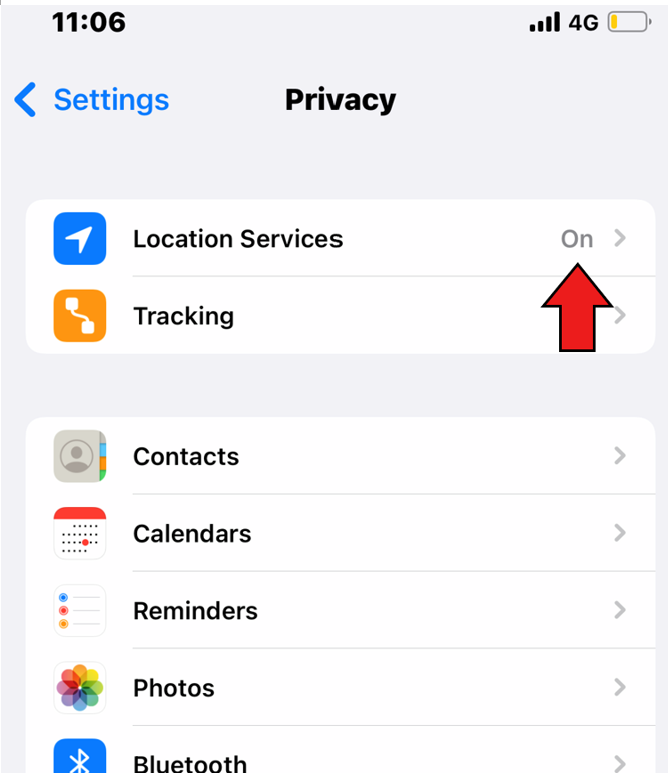
a. Go to Settings > Privacy, and make sure your location services is on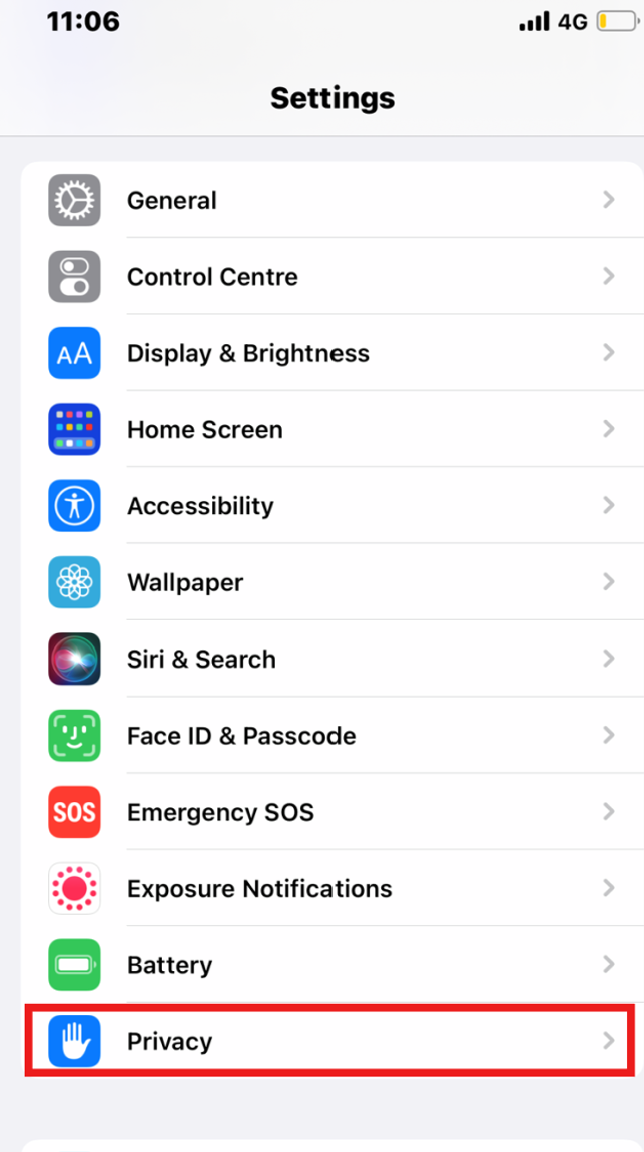
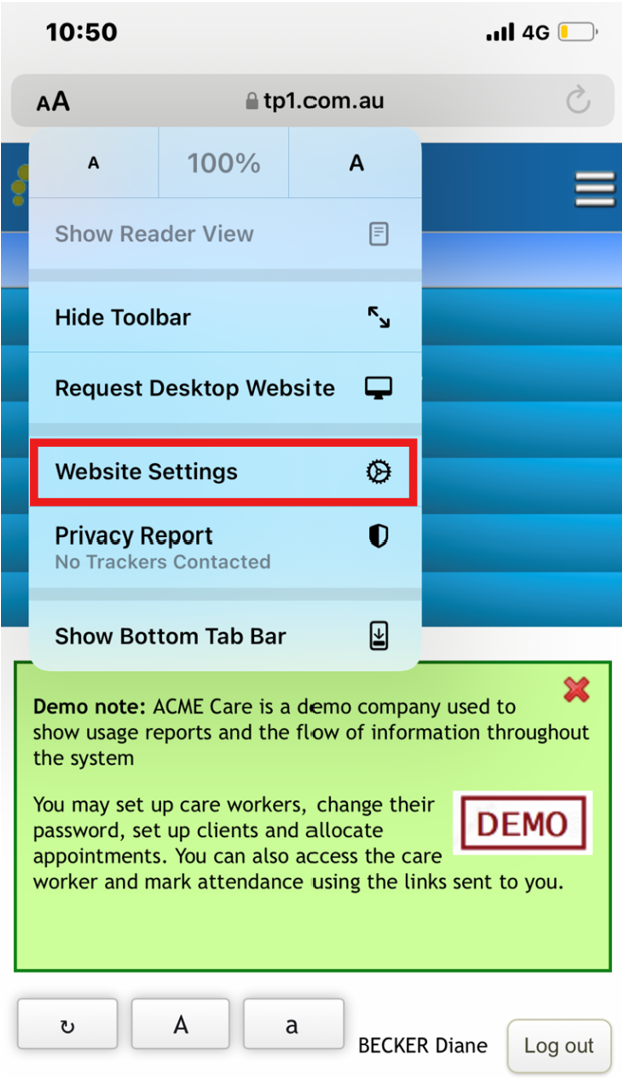
b. On TurnPoint website, to the left of the web address (where AA is), click "Website settings" or " Site settings"
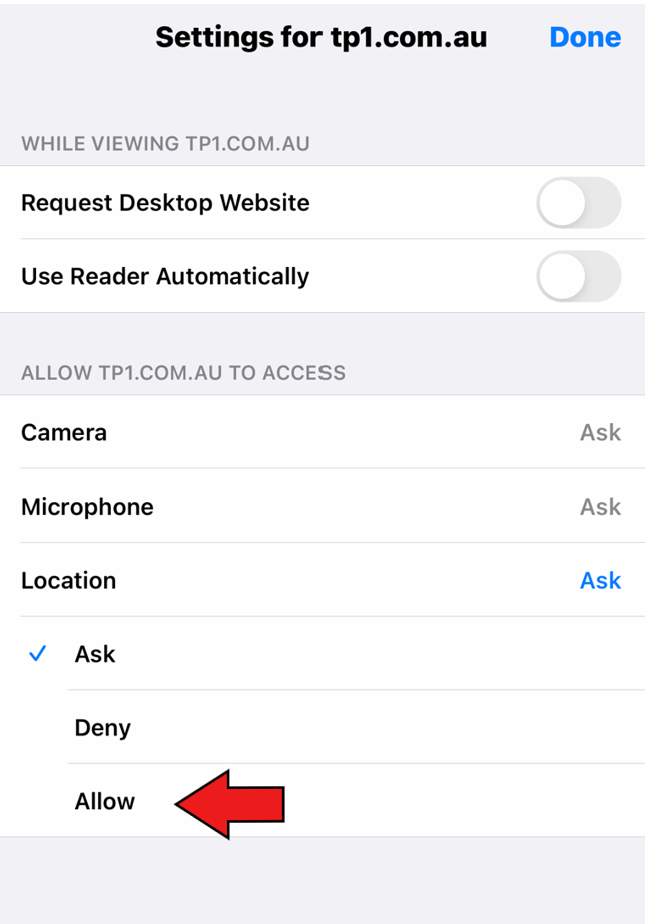
- Check if TP1.com.au is allowed to access "location", if not, please allow
This should address the GPS tracking issue, but if the problem continues, please find the nearest phone shop for assistance.
Comments
0 comments
Please sign in to leave a comment.