
This article will walk you through steps to submit incident & hazard report directly from your mobile interface if you are care staff/team members.
1. From your TurnPoint mobile system, go to Incidents on the menu. (If you cannot see this menu, please contact the office to enable it for you)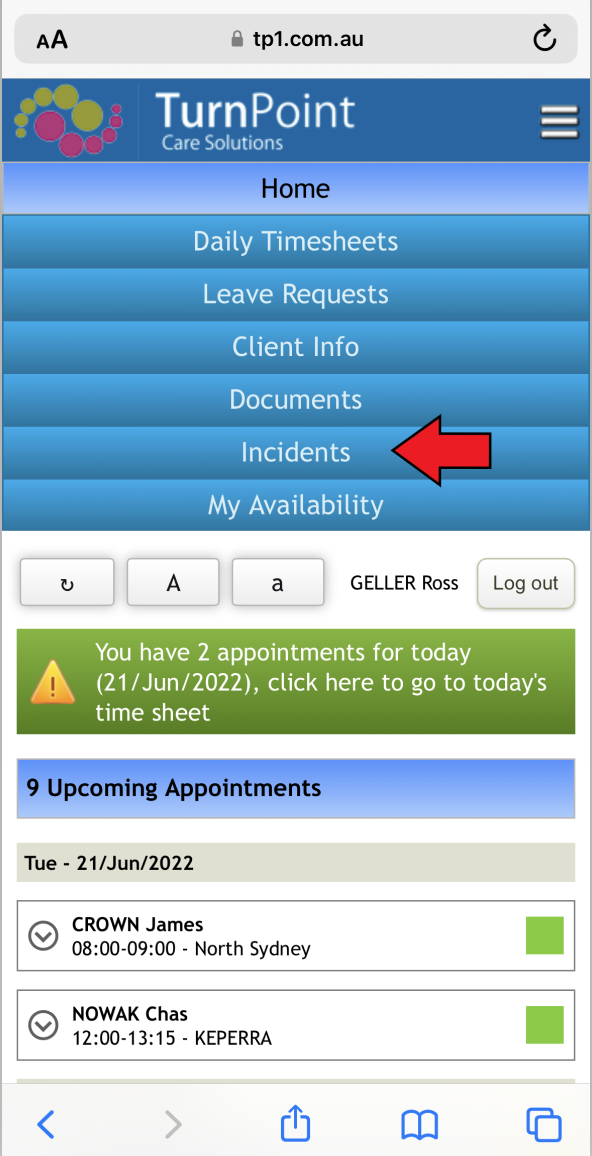
2. Click/press Add new incident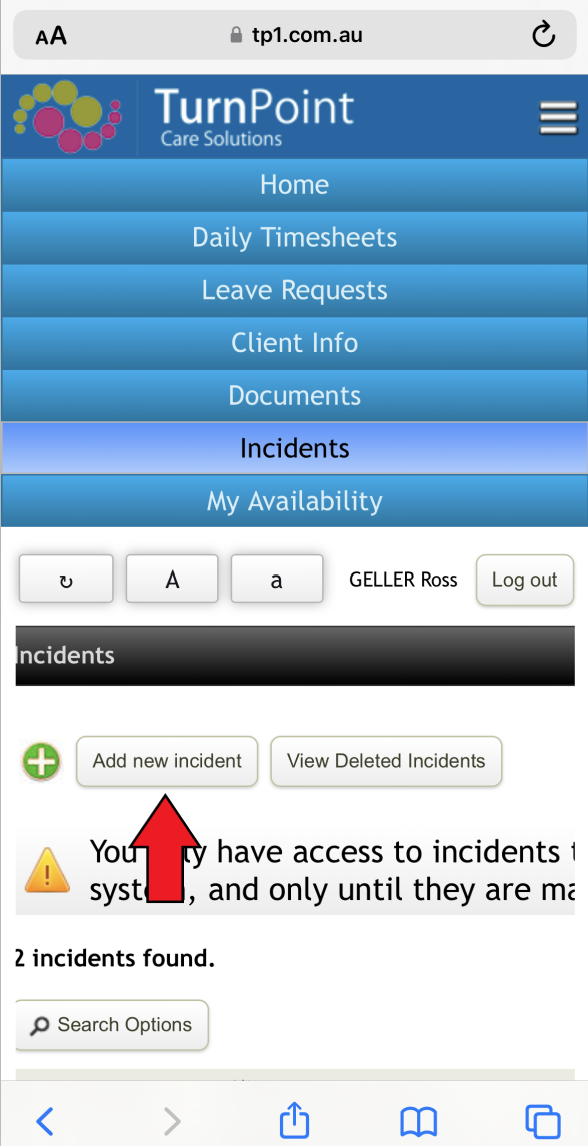
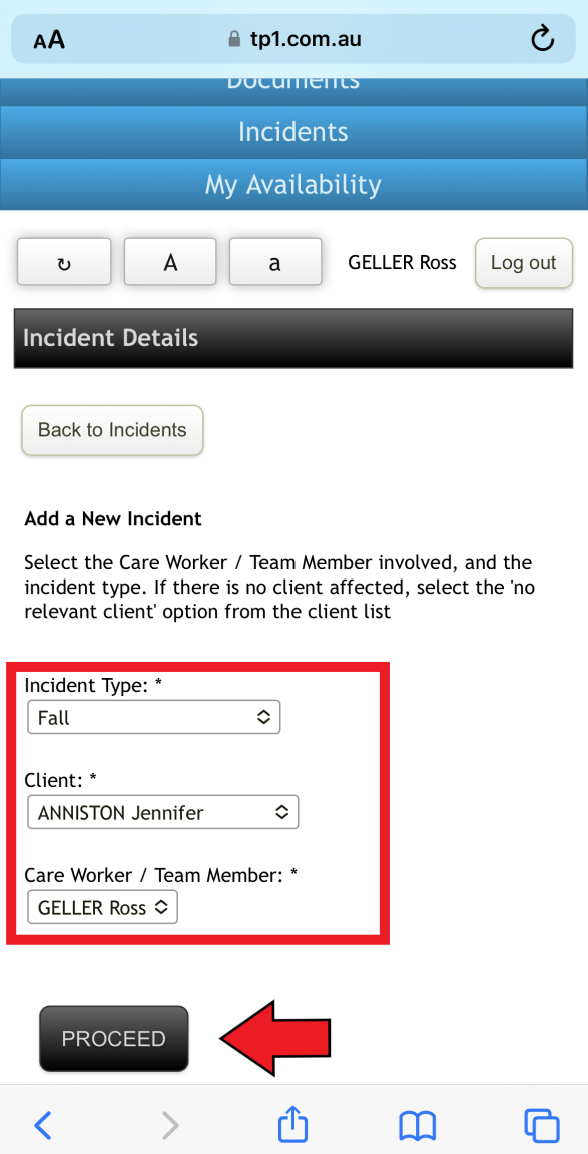
3. Initial page of a new incident&hazard form will appear for you to complete. Fill out Type, Client and Care Worker from drop down. (Please note that there is option of 'No relevant client applies to this accident' as well)
Once done, click Proceed
4. Next page of incident&hazard form will come up and you will be able provide more details. (e.g. Date, time, any witness, etc)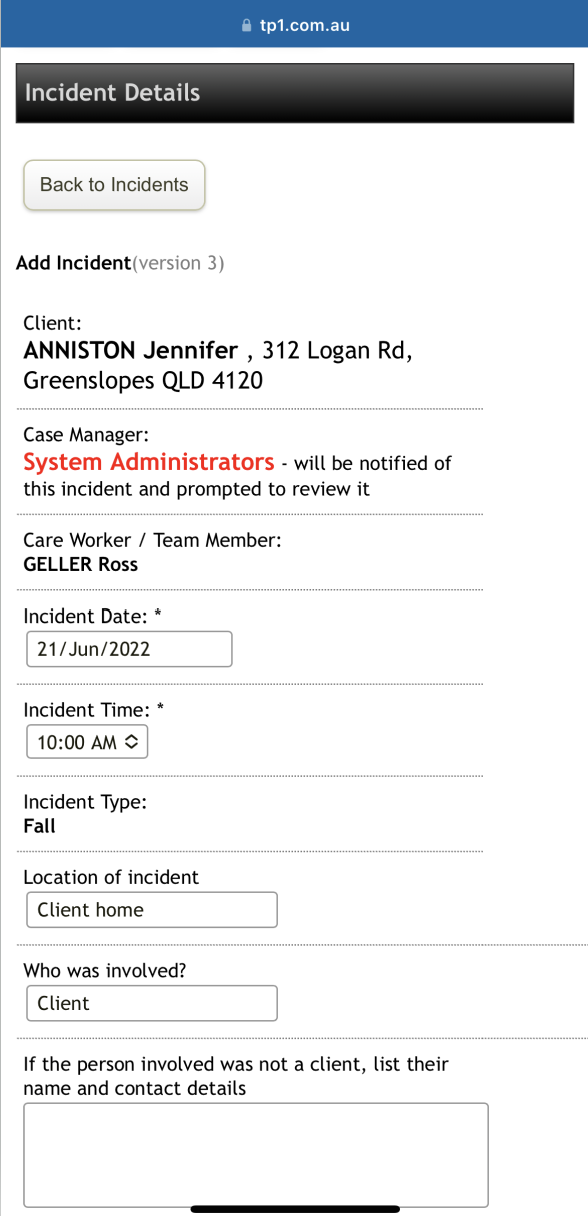
5. Once filled out, click Add Incident
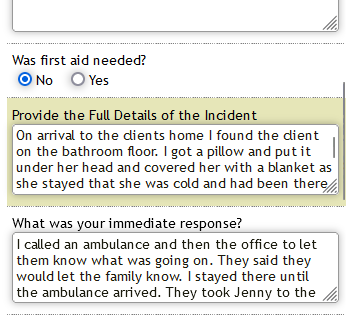
And this report will be submitted and appear on main system for relevant admin staff to action.
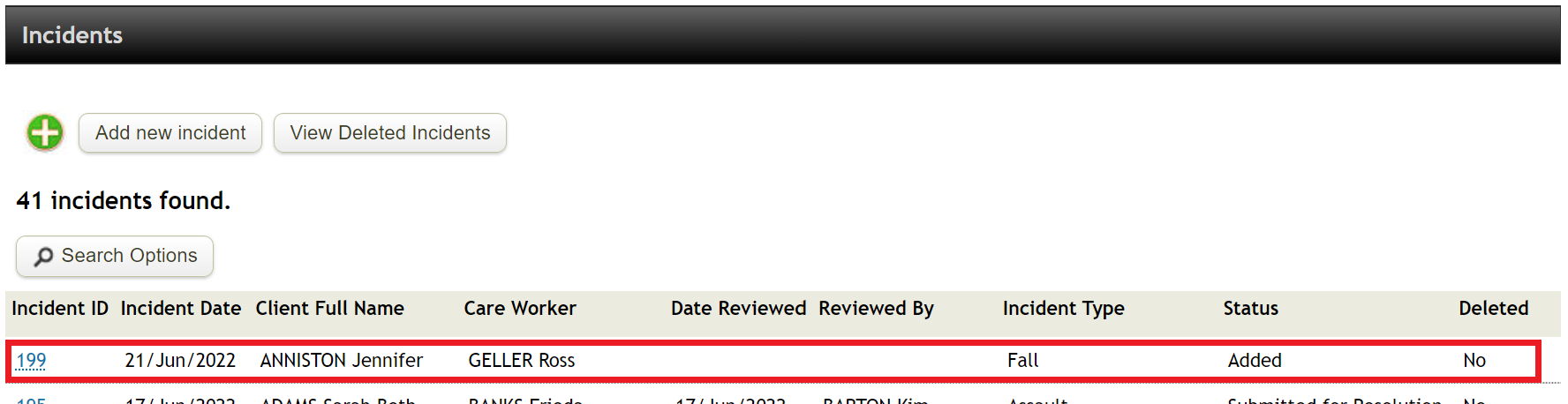
If you want to check how this report gets processed by admin staff to understand the whole process, please click here.
Comments
0 comments
Please sign in to leave a comment.