
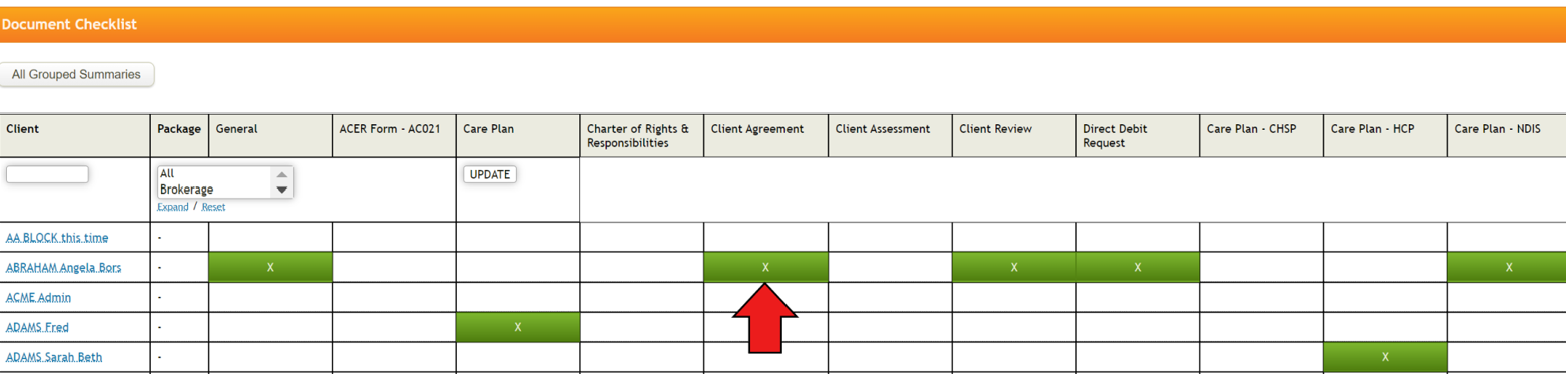
From Document checklist page, you can monitor the document collection status of your entire clients as it provides the single page view of which client has which documents saved in the system.
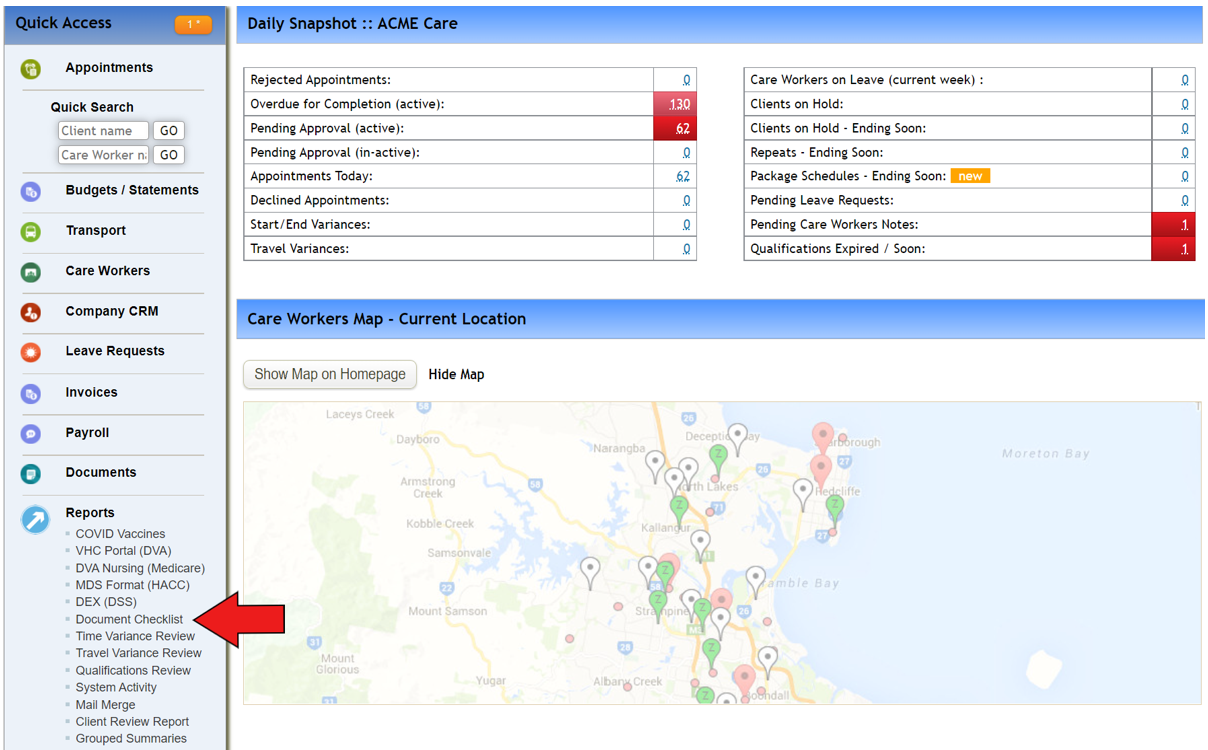
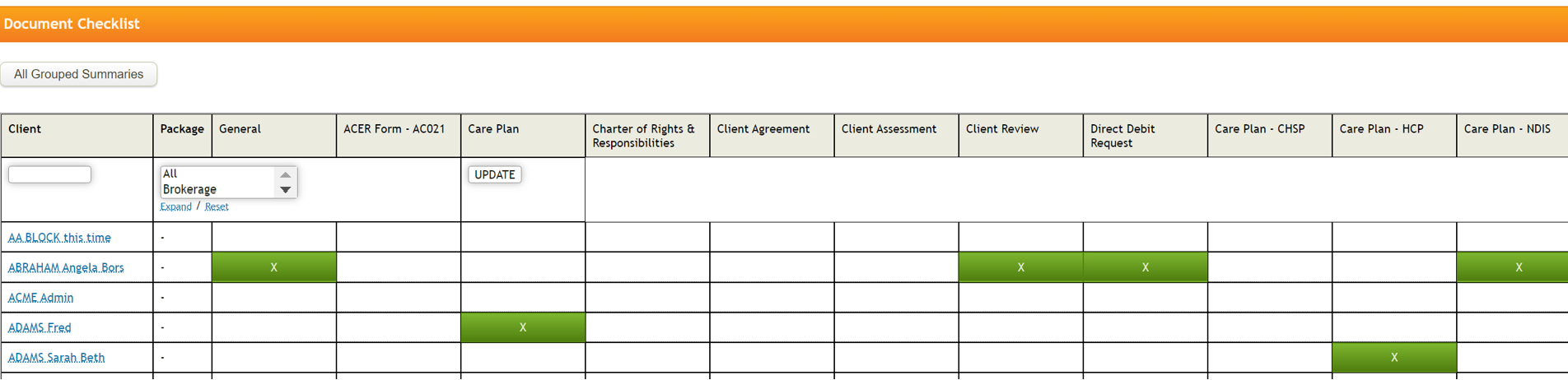
To utilise this checklist, just ensure to add document to correct client with relevant 'document type' set up as the column is pulled from document type.
Let's check the client named 'Abraham Angeloa Bors' as an example from the above list.
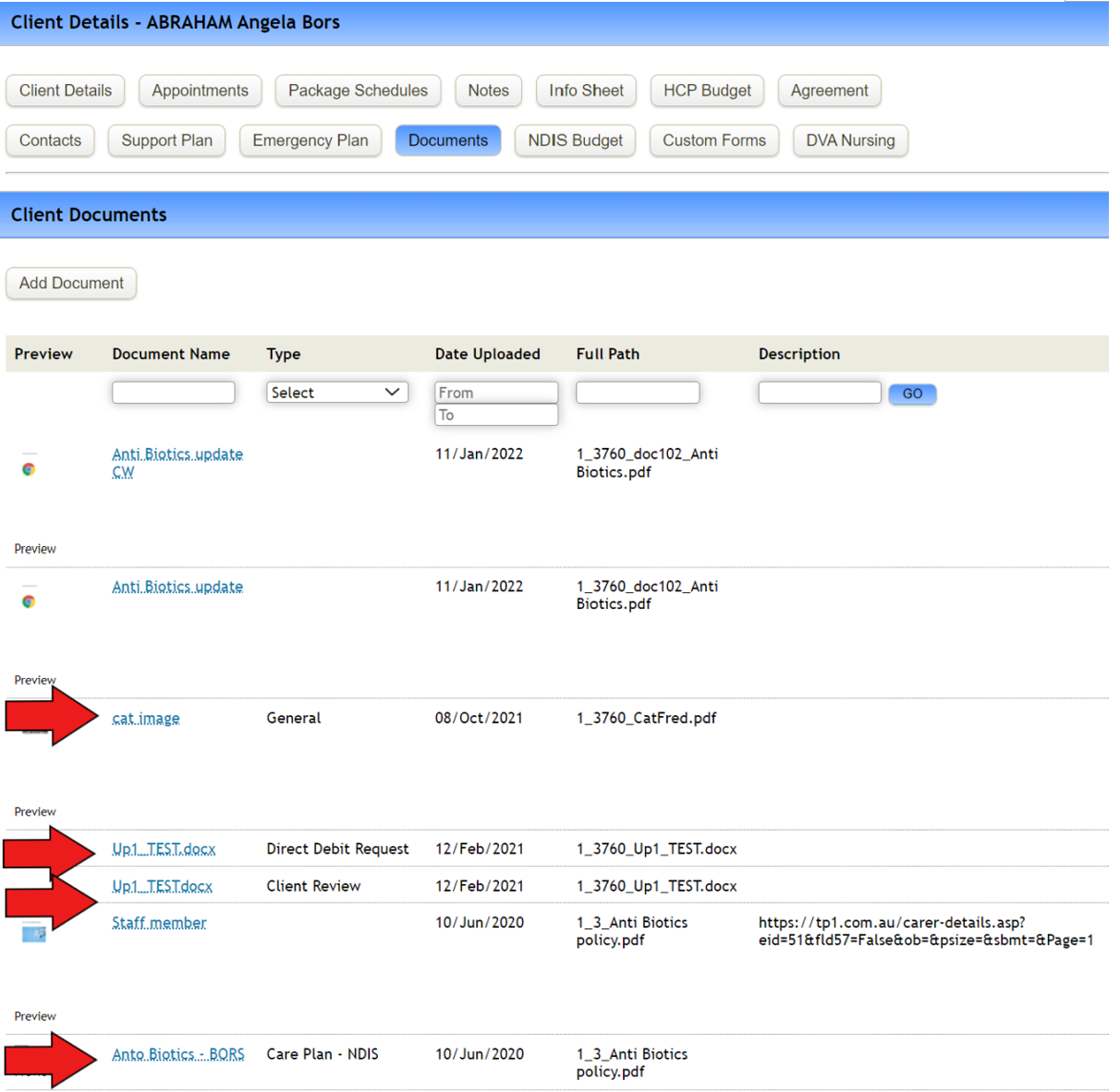
The checklist page indicates that she has General/Client review/Direct debit request/Care plan – NDIS documents collected and saved in the system.
When checking through her profile page > Documents, I can see these documents are saved correctly.
If new document is added with the document type being 'client agreement',
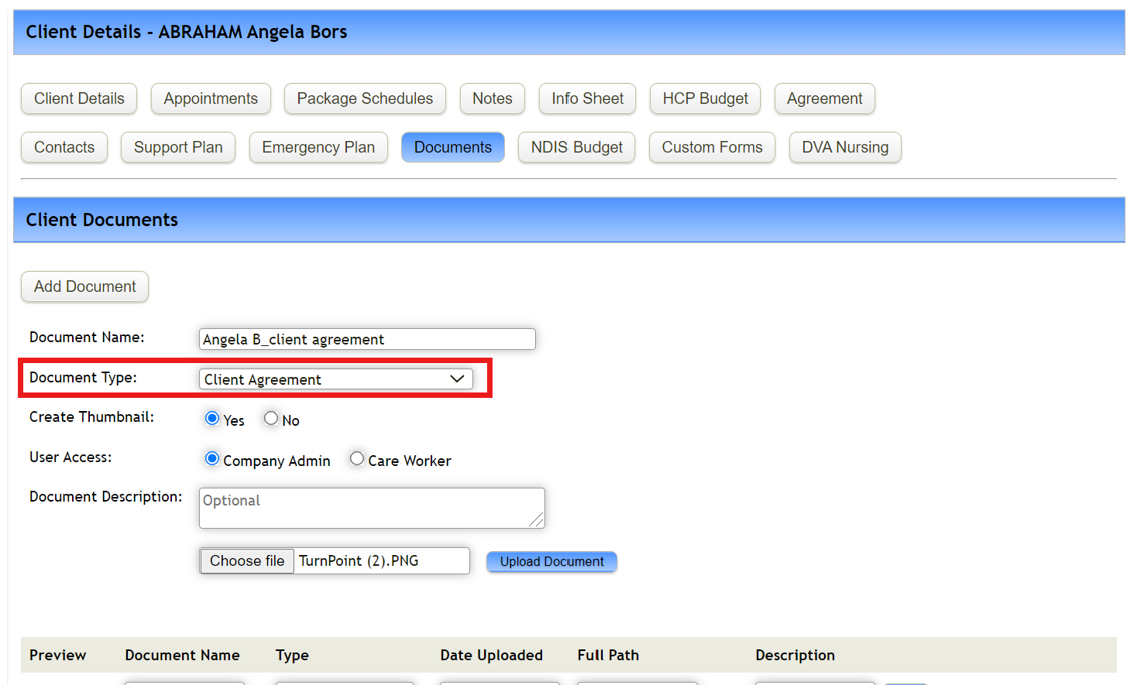
You can see it's now reflected through Document checklist page.
Comments
1 comment
How to print this 'Document Checklist'? Please email me to david@newhomecare.com.au
Article is closed for comments.