
1. Reject
This is when you, as a care worker, cannot attend to the appointment that was allocated to you.
In this case, you will need to REJECT the appointment at the pending stage so that it gets flagged with scheduling/rostering officer and re-assign it to other suitable care staff.
On home screen, click the appointment that you cannot attend, and click REJECT button with reason.
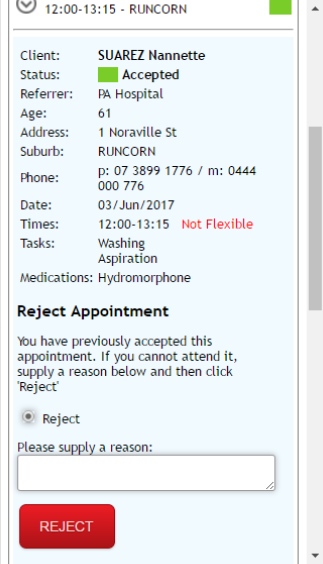
Appointment will now be flagged for the organisation’s rostering officer to assess the supplied reason, and re-assign the appointment to an alternative care worker. Should the appointment be within the current published roster, then SMS messages will be used to communicate the change, both a cancellation and the subsequent re-assignment.
2. Decline
This is when a client refuses to receive service booked when you (care worker) arrives at the appointment.
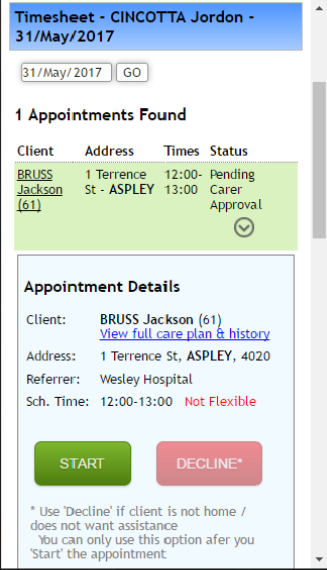
Click Start and then Decline button with reason, and ensure to provide trip details you had to take to go to the appointment so that it can still be reimbursed.
It will then be flagged to the rostering officer at your company for administrative process.
Comments
0 comments
Please sign in to leave a comment.