
Creating and managing rosters can be difficult but TurnPoint has simplified the process so you can make build and adjust rosters as you need.
Scheduling of appointments can occur within Turnpoint Care in a number of places. The Weekly Planner however provides a visual tool to manage the scheduling of appointments including the ability to see travel times and distances between appointments. Additional views are available by accessing the menu at the top of the screen.
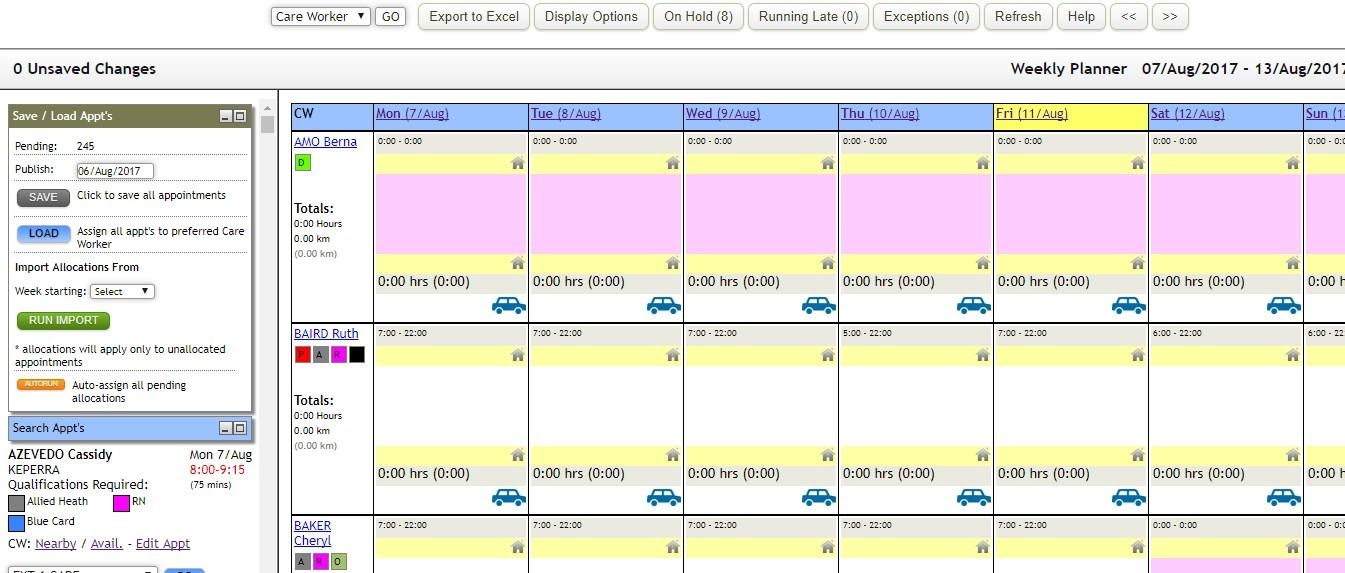
It’s preferred if the care week is defined as Monday to Sunday and lines up with your payroll cycle for consistency.
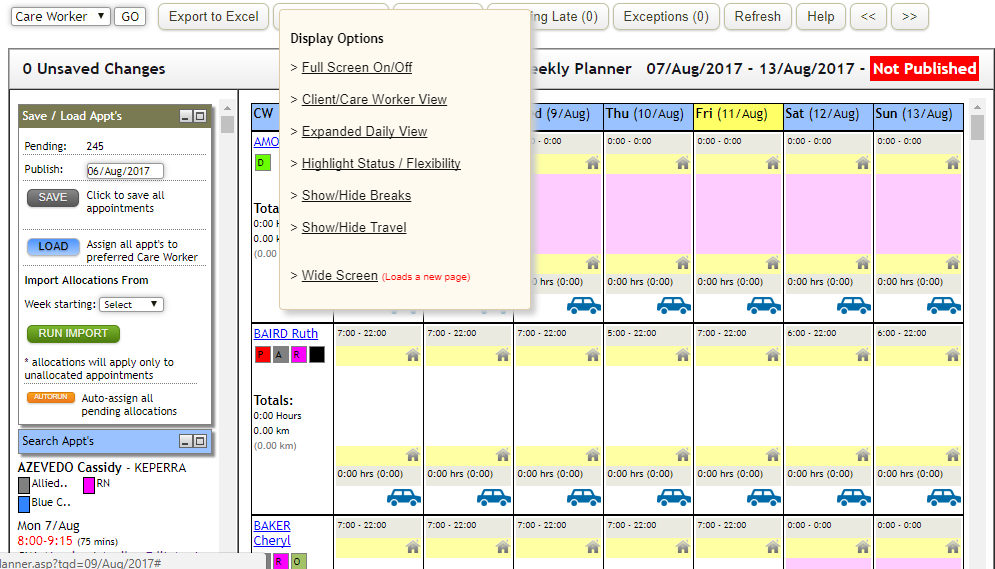
The Weekly Planner also is used to publish schedules to care workers once finalised. Notification of new schedules can be distributed to support workers via SMS, Email or the schedules can be printed and hand delivered. Once published, further updates due to cancellations, time adjustments and the like are also individually notified automatically (setting on User Admin screen) to the affected support workers.
Schedules can be published any number of weeks in advance but there is a tradeoff between planning ahead and minimising rework and notifications to support workers.
Top Menu Bar
Across the top of the menu bar, there are number of options to help you navigate the planner.
- Care Worker Finder. Select the care worker you are searching for from the drop down and press GO. The Weekly Planner view will scroll to that care worker.
- Export to Excel. The current week’s scheduled appointments by care worker can be downloaded into Excel. Day, client, start time and end times are provided.
-
Display Options.
- Full Screen View. The top header menu is removed.
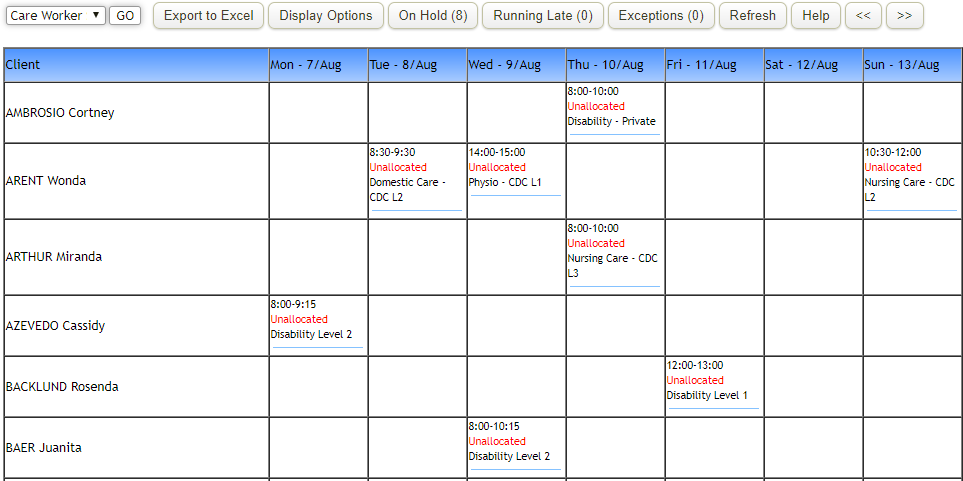
- Client/Care Worker View. An alternative view showing appointments grouped by client through the week is shown.
- Expanded Daily View. A detailed view of a support worker’s schedule by day. Select different day at the top and the table of data will change to that day. Hovering over an appointment or trip will pop up more details on that item.
- Highlight Status / Flexibility. Toggle between Status and Flexibility indicators.
- Show/Hide Breaks. Toggle to show or hide meal breaks.
- Show/Hide Travel. Toggle to show or hide Travel allowances.
- On Hold. Hover over the button to see a list of clients on hold during the week.
- Running Late. Hover over the button to see a list of today’s appointments which are considered behind. An appointment may have started but the care worker has not yet flagged it as started.
- Exceptions. Hover over the button to see a list of appointments either cancelled or rescheduled in the week.
- Refresh. Select the Refresh button to reload the weekly planner view after changes have been done or to be sure the latest version is displayed.
- Help. Help on the weekly planner functions.
- <<. Retrieve the previous week’s schedule.
- >>. Retrieve the next week’s schedule.
For any further questions, do not hesitate to get in touch: https://www.turnpointcare.com.au/contact-us
Comments
0 comments
Please sign in to leave a comment.