
Qualification can be anything from certificates to some skills. Once added in the system, you can register qualifications to care workers and service types so that the system can assist scheduling staff to roster the appointments to the most suitable/qualified staff.
<Video>
<Article>
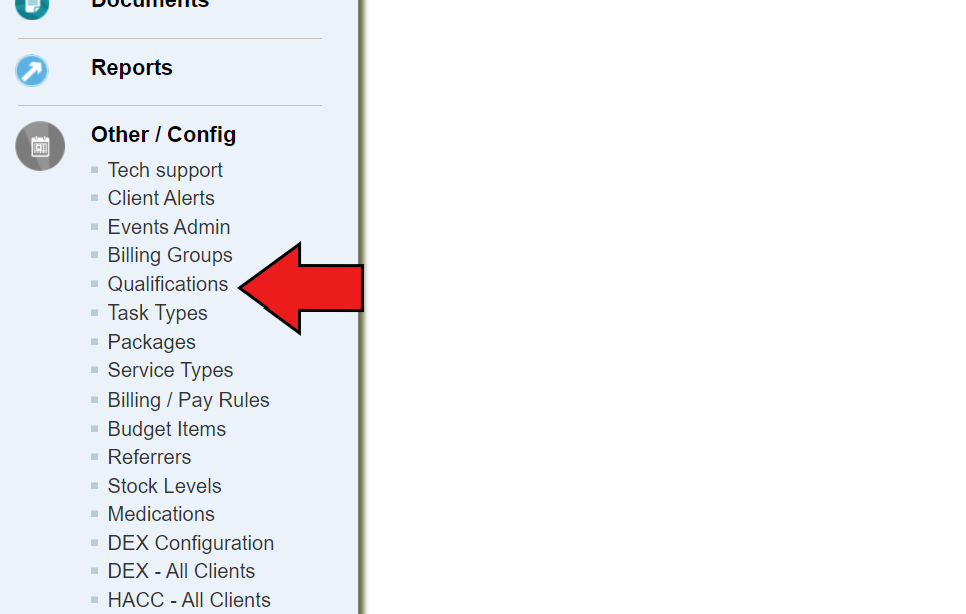
- On the left-side menu bar, scroll down to Other/config category, and click on “Qualifications”
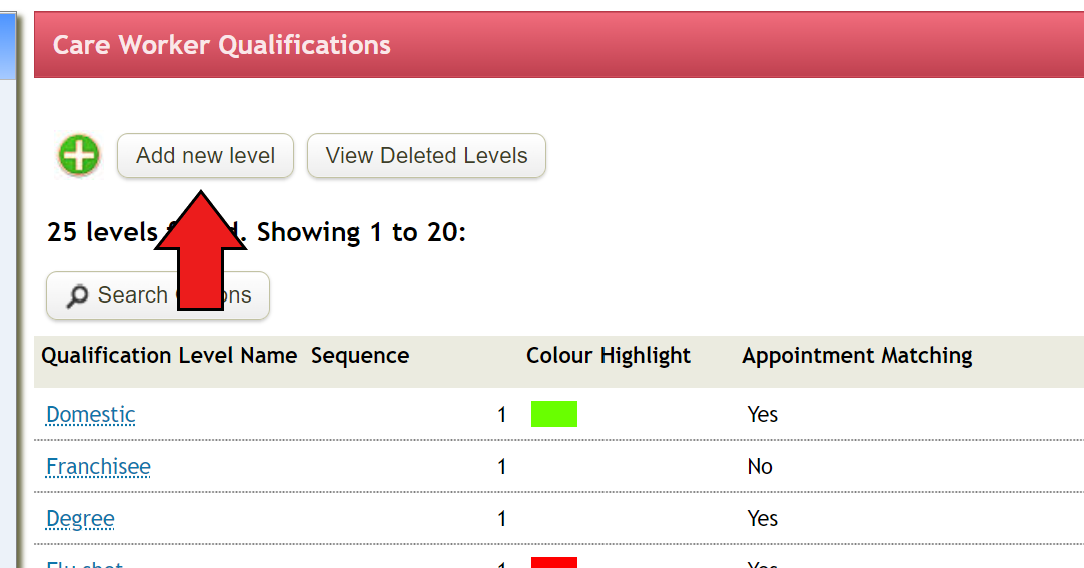
- Click on “Add new level” and fill out the blanks
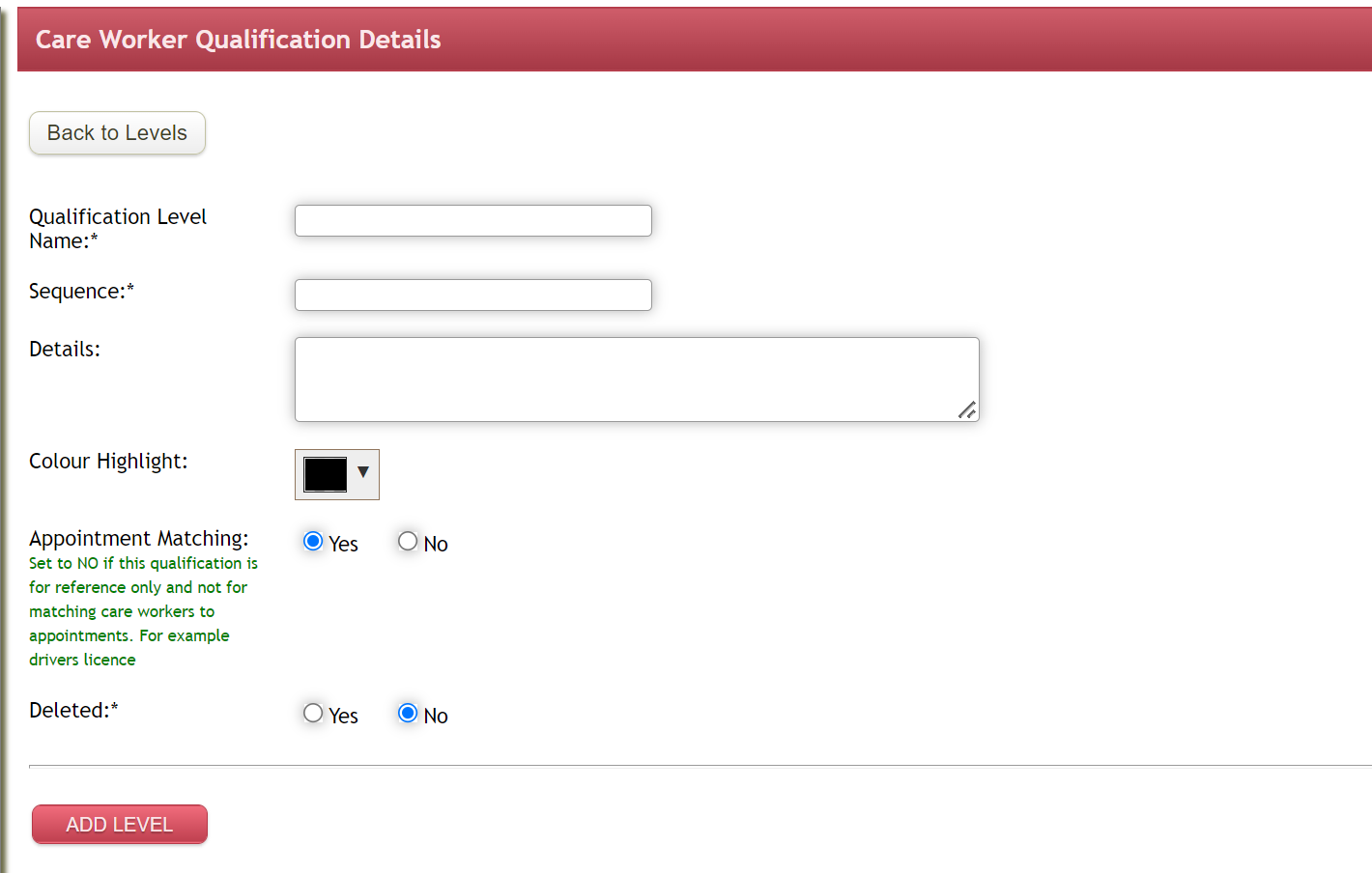
- Qualification level name
- Sequence is used to control the display sequence on the Weekly Planner with 1 being at the top, 2 next and so on.
- Colour Highlight is used on the Weekly planner when scheduling and viewing the roster.
- Appointment Matching flag is used to indicate which Qualification Levels are to be used to find appropriately skilled carers to match requirements of the client and specific appointments. - Once you complete, click on “Add Level”
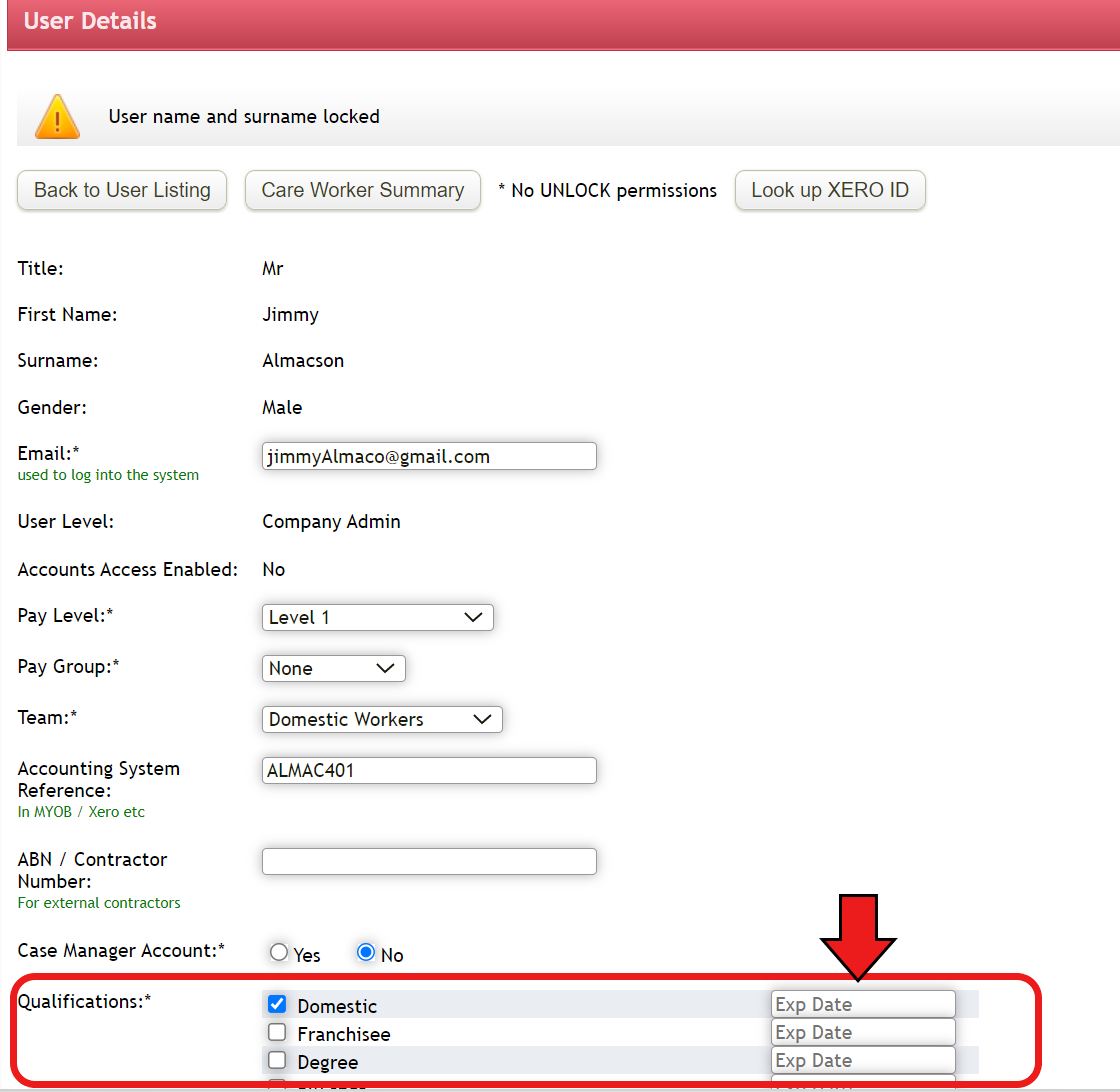
- If the qualification has expiry date attached to it, you can add this information on care workers details page. This can be reviewed through Qualifications Review under Reports menu or Qualifications Expired fields from Daily Snapshot on the Home screen
Comments
0 comments
Please sign in to leave a comment.