
If GEO Fencing is enabled in your profile, Turnpoint Care will warn care staff who are attempting to start/end appointments too far from where they are supposed to be, i.e. client home or pre-arranged transport location.
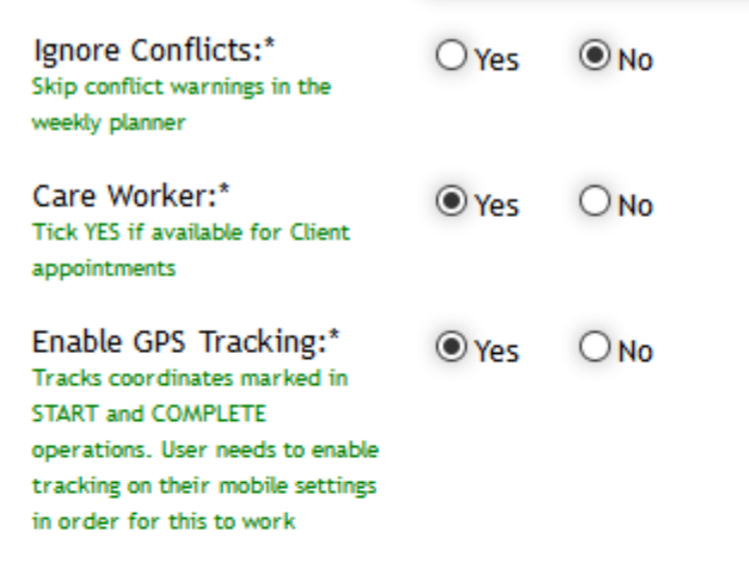
To enable GPS tracking, go to “Care Workers” or “User Admin”, and find the user you want to enable GSP for, find the following setting labelled “Enable GPS Tracking”, click “yes” and UPDATE:
It is recommended to notify care staff prior to enabling this feature as care workers may DECLINE to share their location when prompted to do so. In this case you will need to assist the worker to find the phone’s list of blocked sites and remove the block from “tp1.com.au”.
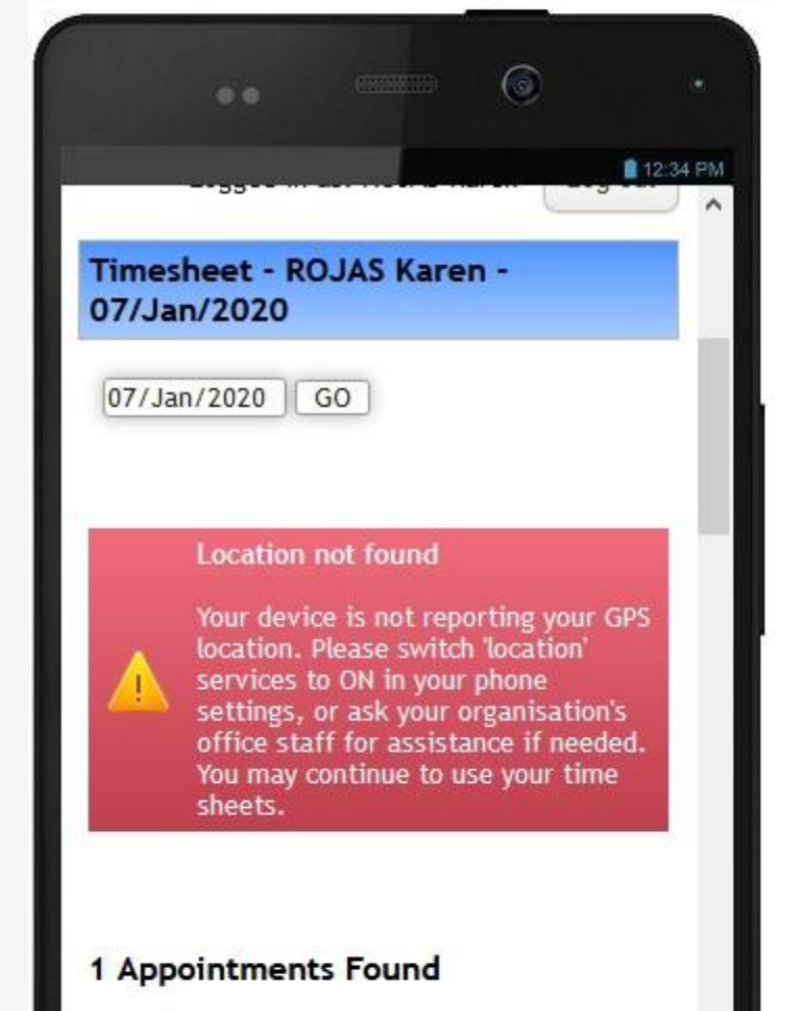
If the phone’s location services are not switched on or the care worker has selected not to share the location, the following alert will appear at the top of each timesheet with the title: “Location not found”.
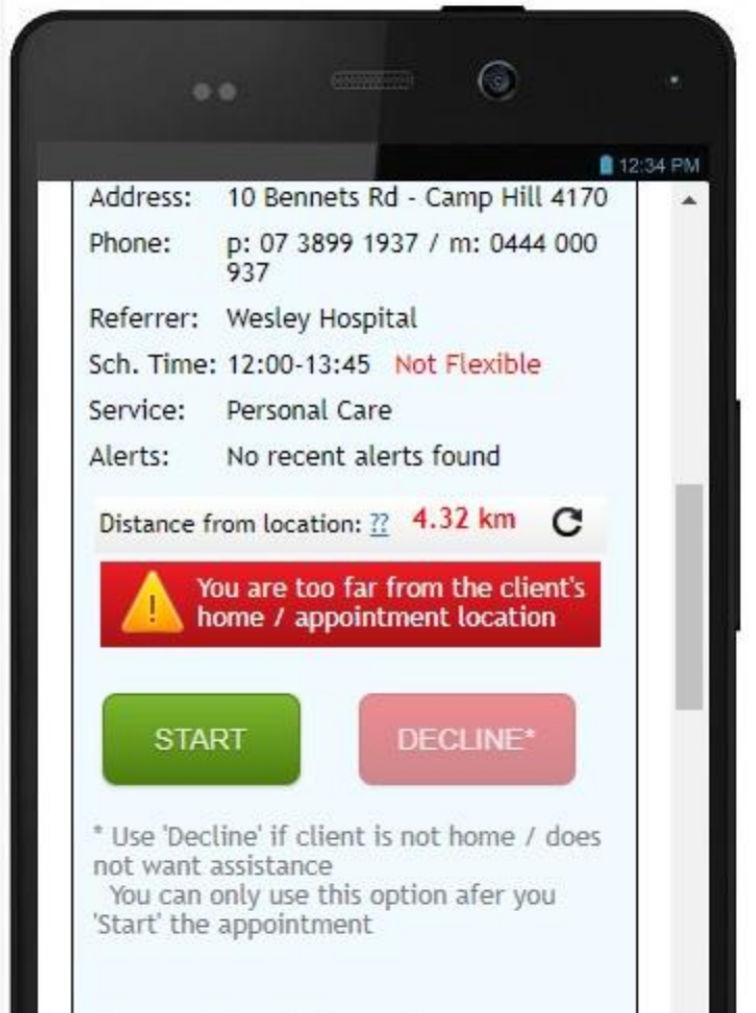
Once the worker has enabled location, if they are too far from the client’s home or designated appointment address – the following indicator will inform them that they are too far.
Care workers may click the REFRESH button (round arrow) if they wish to re-calculate the phone’s location.
The system will still let them mark attendance but will record the variance, which is visible in the “compliance report”.
Comments
0 comments
Please sign in to leave a comment.