
You can create task types within TurnPoint. Once generated, scheduling staff can select relevant tasks to the appointments, which then will show up as a checklist/reminder on appointments for care workers.
<Video>
<Article>
1. Click on "Task Types" under Other/config menu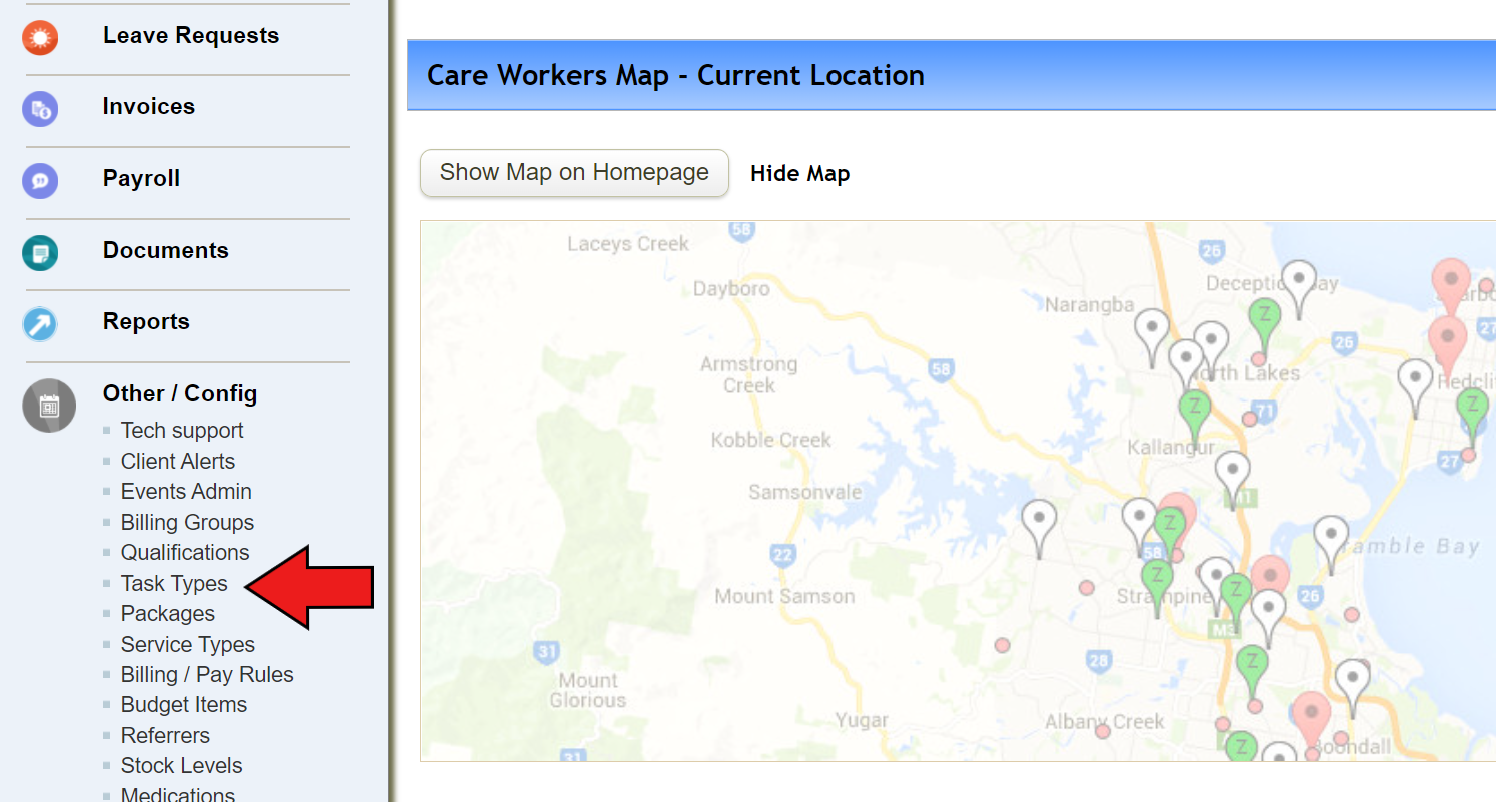
2. Click on “Add new tasks type” and fill out the blanks
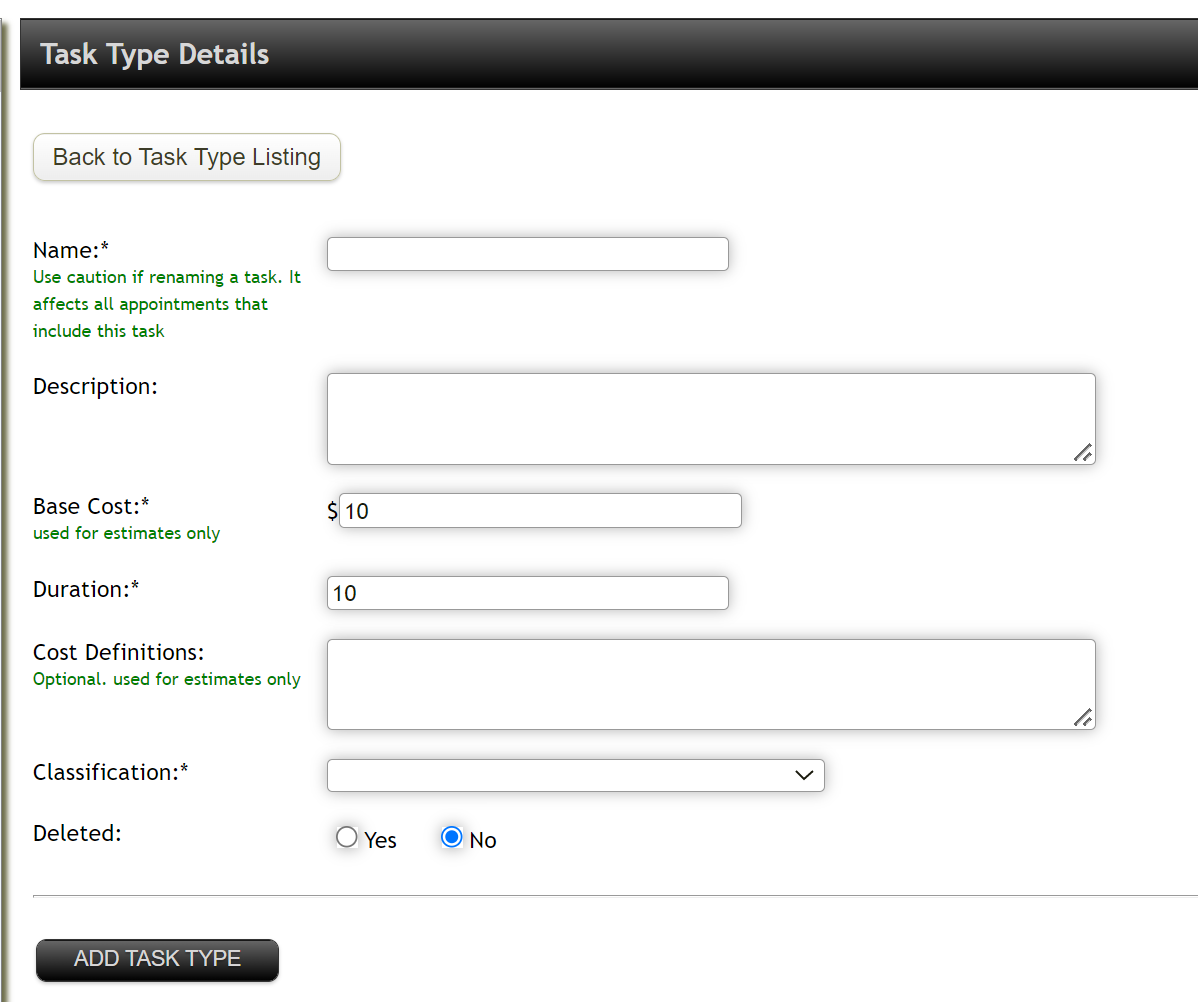
- Name: give name of task (i.e. reading, window cleaning, laundry, etc)
- Base Cost and duration is for estimates only
- Classification: select relevant classification from the list
3. Once completed, click "Add task type"
4. List of tasks will appear when creating appointments.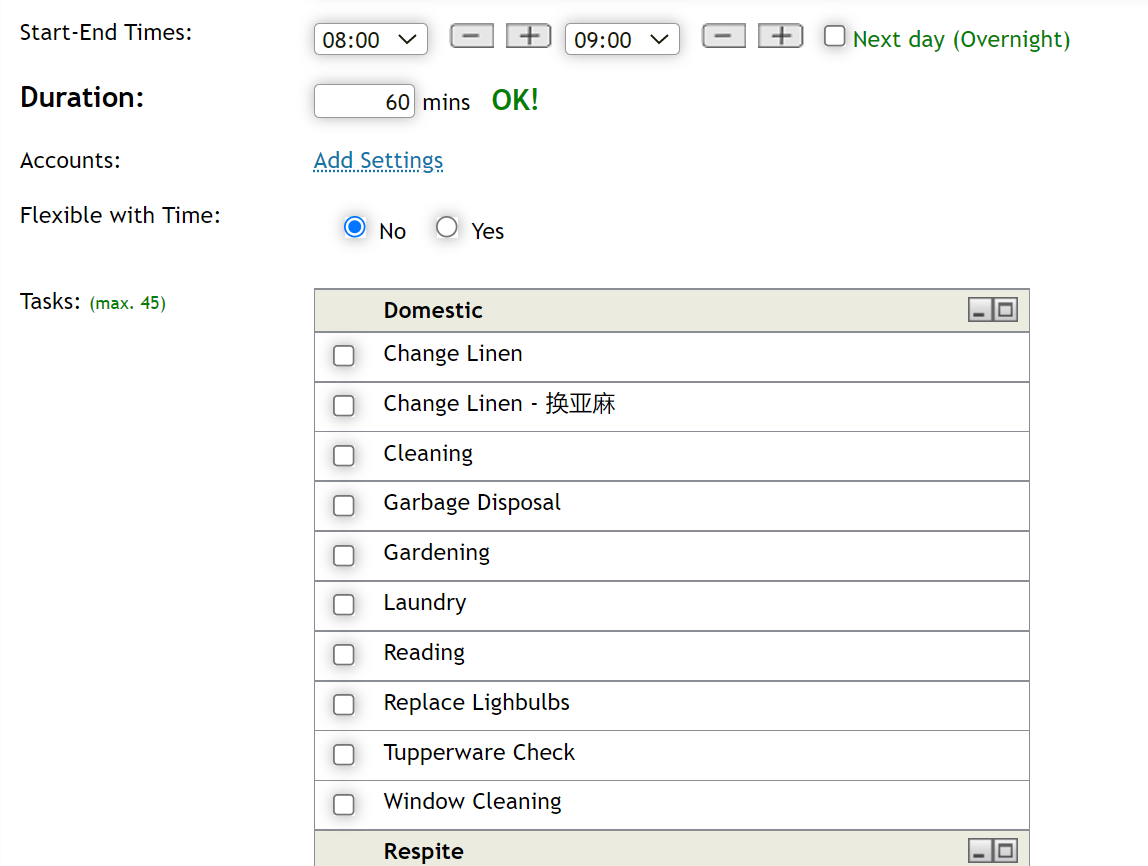
Comments
0 comments
Please sign in to leave a comment.