
To allow for auditability of changes to the system, we have made our system activity report allowing you to see what changes have been made.
To access the report, select System Activity from within the Reports section of the Left Hand menu. The Activity screen is displayed. It has a search and filter facility allowing filters by reference number, user, client, type, appointment date, start time, end time, coordinates, date and time of update.
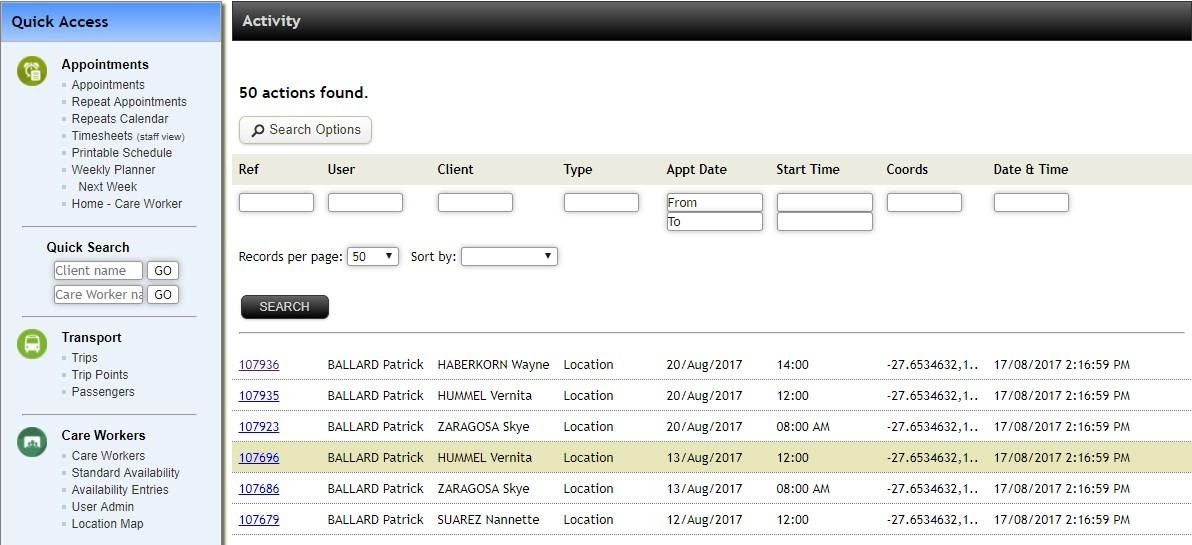
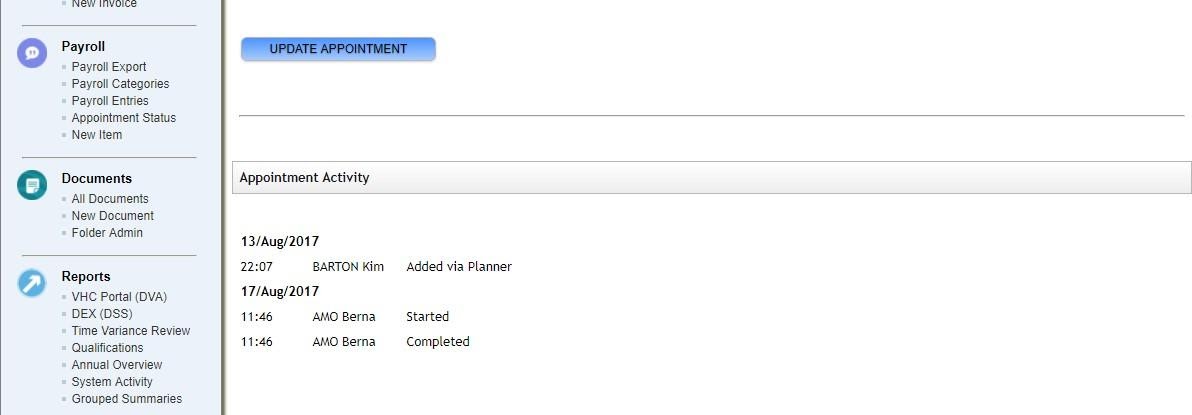
Select a record entry to see what changed during a particular update, who did it and when. This is available in the Appointment Activity section.
For any further questions, do not hesitate to get in touch: https://www.turnpointcare.com.au/contact-us
Comments
0 comments
Please sign in to leave a comment.